Every day, your online store loses revenue—not from lack of traffic, but from empty shelves. While your customers stand ready to buy, staring at a “Sold Out” button, they drift to your competitors. The frustrating part? Most of these losses are entirely preventable.
Here’s what most retailers don’t realize: 72% of all out-of-stock situations aren’t supplier issues—they’re internal planning failures. And a customer who buys from a competitor once doesn’t automatically come back. Habits form fast.
But there’s an opportunity here: The moment a customer faces a sold-out product isn’t the end—it’s a touchpoint. The question is: are you using it?
Companies that actively manage out-of-stock situations convert up to 22% of these moments into sales—with open rates exceeding 60% on back-in-stock emails.
Why Back-in-Stock Emails Outperform Everything Else
Before we dive into strategy, let’s look at the performance numbers—they explain why back-in-stock is one of the most underrated levers in e-commerce.
| Metric | Back-in-Stock | Newsletter (Comparison) |
|---|---|---|
| Open Rate | 60–65% | 15–20% |
| Click Rate | 6–19% | 2–3% |
| Conversion Rate | 5.8–22% | 0.5–2% |
The difference is staggering: Back-in-stock emails achieve 3× higher open rates than standard newsletters. The reason is simple—the recipient actively signed up for this exact notification. Relevance doesn’t get any higher.
The Four Pillars of a Winning Back-in-Stock System
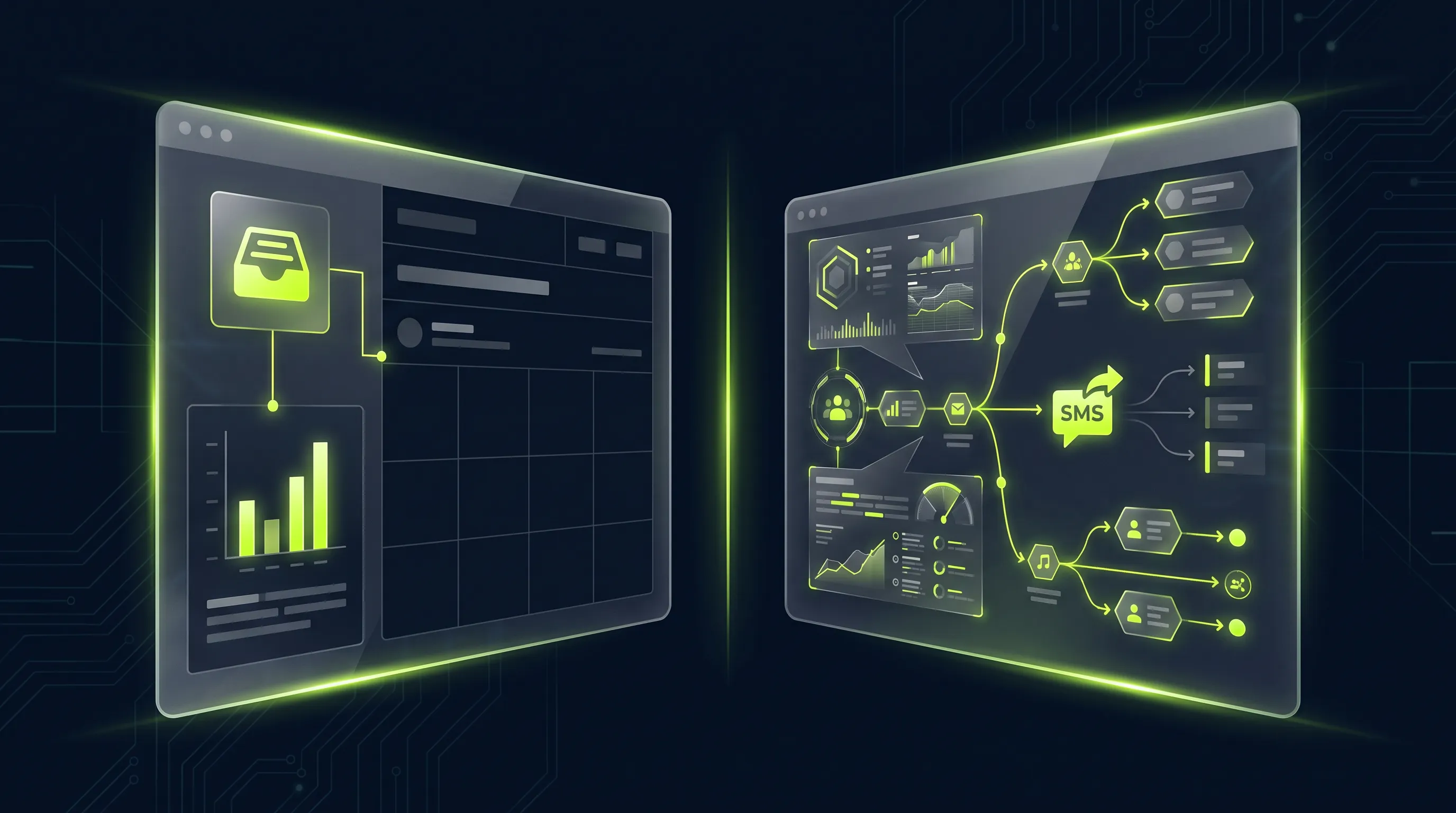
A successful back-in-stock system isn’t a tool—it’s the interplay of four strategic pillars.
| Pillar | Focus | Impact |
|---|---|---|
| 1. Email Sequence & Timing | When and how you communicate | Direct Conversion |
| 2. Demand Signal Intelligence | Waitlists as planning data | Strategic Decisions |
| 3. Multi-Channel Orchestration | Right channel at the right time | Reach & Relevance |
| 4. ROI & Business Case | Investment vs. return | Internal Buy-in |
In the following sections, I’ll walk you through Pillar 1 in detail—the email sequence is the most visible and fastest lever. Then we’ll explore how Pillars 2 and 3 complete the system.
Pillar 1: Email Sequence & Timing – The Core Lever
The email sequence is the heart of any back-in-stock system. But it’s not just about whether you send an email—it’s about when, to whom, and how.
The Trigger Moment: Getting the Opt-in Right
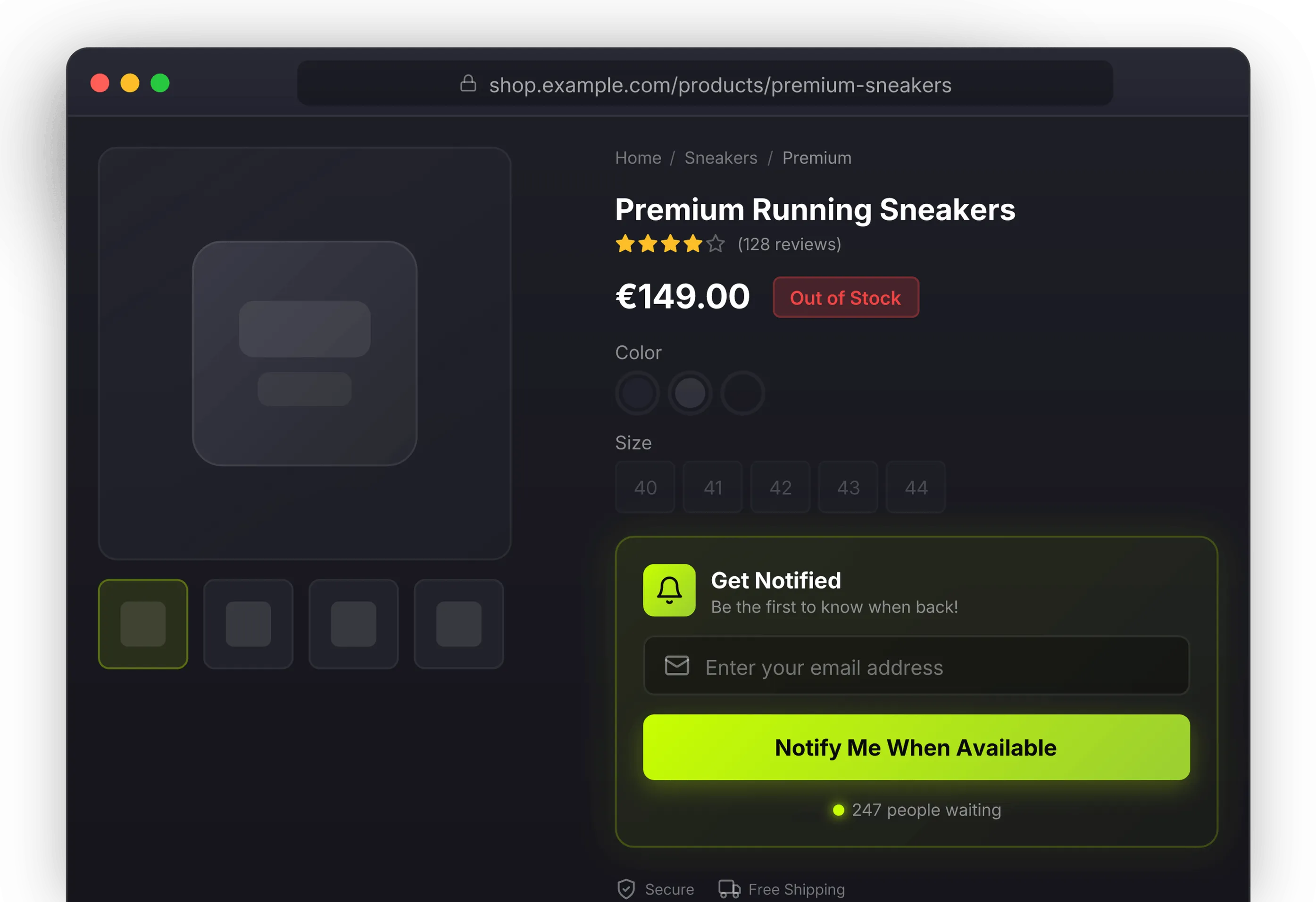
Everything starts the moment a customer sees “Sold Out.” This is where you either lose the connection or start building a relationship.
What a good opt-in form includes:
- Clear expectation: “We’ll notify you when it’s back”
- One-click email field
- Privacy-compliant notice (product notification only, not marketing)
- Optional: Phone number for SMS notification
Timing Is Everything: When to Send
The most critical factor in back-in-stock emails is speed. Every minute counts.
Benchmark data shows:
- Emails sent within 5 minutes of restock: 22% conversion
- Emails sent after 1 hour: 14% conversion
- Emails sent after 24 hours: 8% conversion
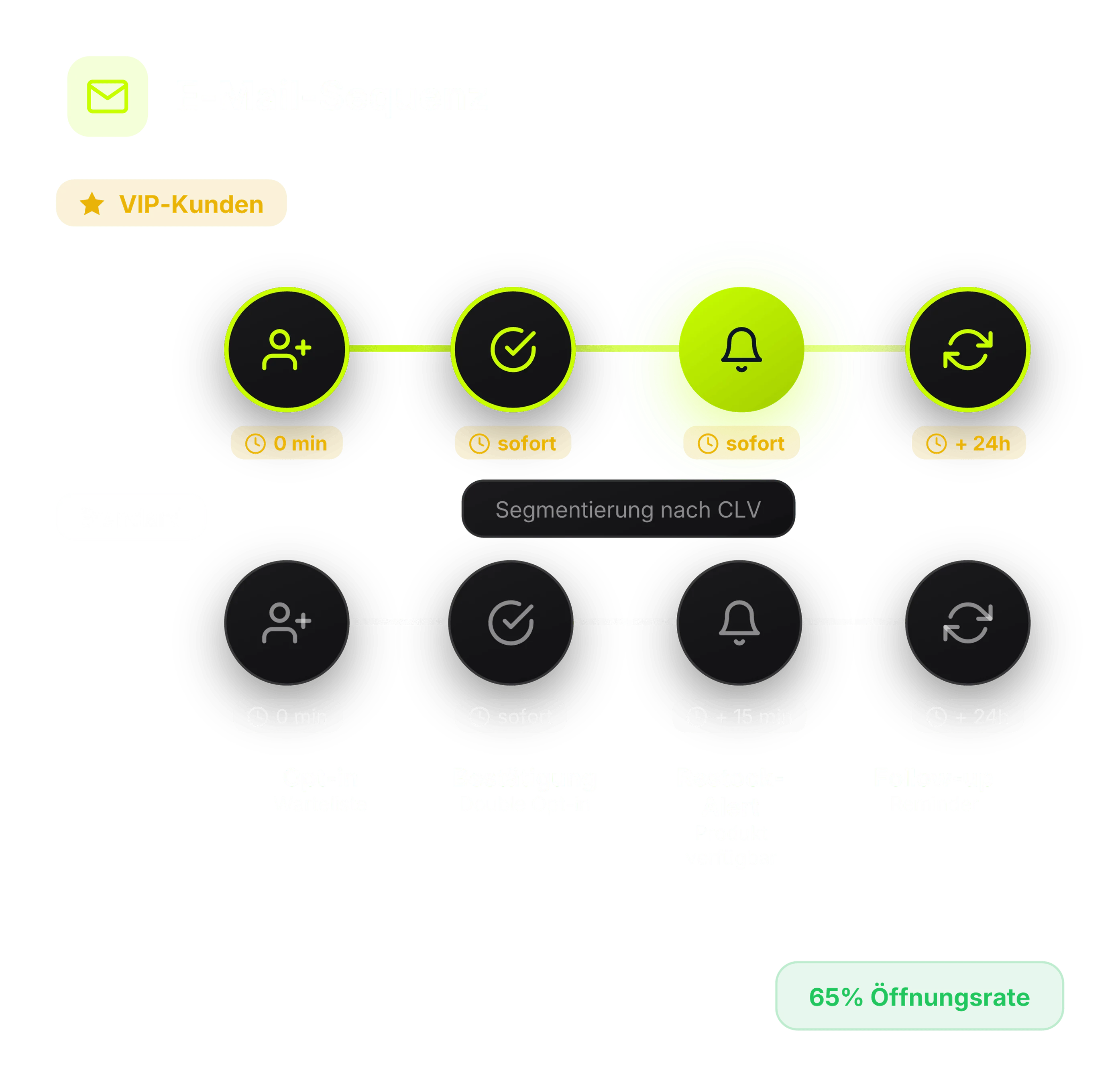
Segmentation: VIP Customers First
When stock is limited—and that’s more common than you’d think—not all customers should be notified at once.
Segmentation logic:
| Segment | Criteria | Notification |
|---|---|---|
| VIP | CLV > $500, 3+ purchases | Immediately |
| Loyal | 2-3 purchases, active in 6 months | + 10 minutes |
| Standard | First-time buyers, new customers | + 20 minutes |
The Email Itself: Structure and Content
A back-in-stock email isn’t a newsletter. It has one goal: get the click to the product page.
Proven structure:
-
Subject line: Urgency without spam triggers
- Good: “Your product is back in stock”
- Better: “[Product Name] – Available Now”
- Avoid: ”🚨 LAST CHANCE!!!”
-
Content: Product front and center
- Product image (the one they recognize)
- Name and key feature
- Price (if changed, communicate transparently)
- One button: “Buy Now” or “View Product”
-
Scarcity: Only when honest
- “Limited quantity” – if true
- “Usually sells out fast” – if historically accurate
Follow-up Strategy: After the First Email
Not everyone opens the first email—and not everyone who opens buys immediately.
Follow-up logic:
| Situation | Action | Timing |
|---|---|---|
| Not opened | Reminder with new subject | + 24 hours |
| Opened, didn’t buy | Gentle reminder | + 48 hours |
| Purchased | Start cross-sell sequence | + 7 days |
| No purchase after 2 reminders | Move to newsletter | + 72 hours |
Pillar 2: Demand Signal Intelligence – Waitlists as a Strategic Asset
Most stores treat waitlists as simple email collection. That’s a mistake. A waitlist is validated purchase intent—there’s hardly more valuable data.
Waitlists Are Market Research
Every sign-up on a waitlist is a signal: “I want this product—it’s important enough that I’m giving you my email.”
What you can derive from waitlist data:
- Which products are understocked?
- Which variants (size, color) are missing most often?
- Are there seasonal patterns?
- How big is the actual demand?
Connecting to Purchasing & Planning
The real leverage happens when waitlist data flows into operational decisions.
Concrete applications:
- Purchasing alerts: Automatic notification to buyers when waitlist hits threshold
- Supplier leverage: “We have 500 customers on the waitlist” – better negotiating position
- Assortment decisions: Prioritize products with high waitlist numbers
- Price optimization: High demand + limited supply = room for price increase
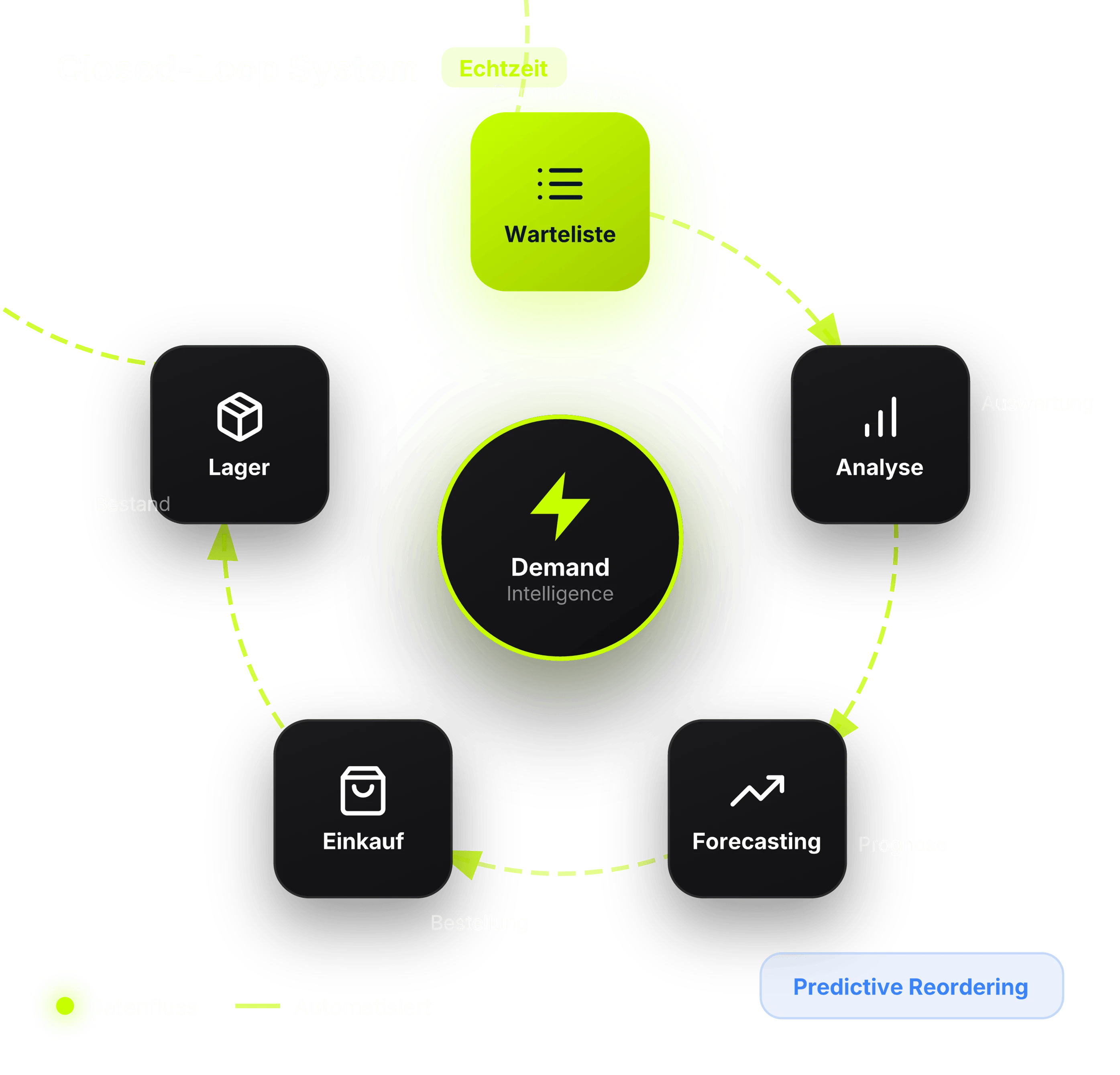
The Closed-Loop System
The goal isn’t just reaction (sending notifications) but anticipation (preventing out-of-stock).
The cycle:
- Customer joins waitlist → Signal
- Aggregate and analyze data → Insight
- Adjust purchasing and forecasting → Action
- Stock available before waitlist grows too long → Prevention
Prevention: Stop Out-of-Stock Before It Happens
The best back-in-stock strategy is one you don’t need. When you systematically use waitlist data, you can prevent shortages before they occur.
Preventive measures:
- Demand Forecasting: Use waitlist sign-ups as a leading indicator for future demand
- Safety Stock: Define safety inventory for products with high waitlist activity
- Automatic Reorder Points: Configure reorder points that trigger replenishment before stock gets critical
- Transparent Availability: Show customers an expected restock date—this reduces frustration and churn
Pillar 3: Multi-Channel Orchestration – The Right Channel at the Right Time
Email is the standard—but not always the best channel. Depending on the customer, product, and urgency, other channels might be more effective.
Channel Selection by Context
| Channel | Strength | Ideal for |
|---|---|---|
| Detailed, cost-effective | Standard notifications | |
| SMS | 98% open rate, fast | Limited drops, high-value items |
| Push | Unobtrusive, free | App users, reminders |
| Personal, conversational | VIP customers, high-touch products |
Orchestration, Not Overload
The temptation is to blast all channels at once. That’s a mistake.
Ground rules:
- Respect customer preferences: Opt-in required per channel
- Use escalation logic: Email first → SMS only if not opened
- Never double up: If they buy via email, don’t send SMS
- Limit frequency: Maximum 2 contacts per product restock
Channel Selection by Product Category
Not every product justifies every channel.
Recommendations:
- Fashion / Limited Editions: SMS for urgency (sneaker drops, collaborations)
- Electronics / High-Value: Email with details (specs, comparisons)
- Consumables: Push for convenience (quick reorder)
- High-Touch Products: WhatsApp for dialogue (furniture, premium fashion)
Pillar 4: ROI & Business Case – Why the Investment Pays Off
Before investing in a back-in-stock system, you need the business case.
The Math
Formula for Recovered Revenue:


Example calculation:
- Monthly waitlist sign-ups: 2,000
- Conversion rate (benchmark): 15%
- Average order value: $95
- Recovered Revenue = 2,000 × 0.15 × $95 = $28,500 / month
Industry Benchmarks for Conversion Rate:
| Industry | Typical Conversion Rate |
|---|---|
| Fashion | 12-18% |
| Beauty & Cosmetics | 15-22% |
| Electronics | 8-14% |
| Home & Living | 10-16% |
| Sports & Outdoor | 14-20% |
The complete ROI calculation for your store depends on factors that need individual analysis: your product mix, your out-of-stock frequency, your existing email performance.
Compliance Checklist: Setting Up Back-in-Stock Legally
Back-in-stock notifications are subject to strict data protection regulations. Compliant implementation protects you from legal issues and builds customer trust.
Your Compliance Checklist:
- ☐ Obtain explicit opt-in: Every notification requires express consent—ideally double opt-in with confirmation email
- ☐ Communicate purpose: The email address is used exclusively for the back-in-stock alert, not general newsletters
- ☐ Separate from marketing: Signing up for alerts does not automatically consent to promotional emails
- ☐ Include unsubscribe: Every notification must contain an easy opt-out link
- ☐ Limit data retention: Delete contact data after sending or after a reasonable period (e.g., 30-90 days)
- ☐ Document consent: Record the time and method of consent for each alert subscriber
Common Questions About Back-in-Stock
What does a back-in-stock solution cost?
Costs vary by provider and feature set. Basic solutions start at $10-20/month, while professional tools with SMS notifications and advanced analytics run $50-200/month. Most providers offer free trials.
How long is data stored?
Most systems store sign-ups until successful notification or 90-180 days after registration. For compliance reasons, you should transparently inform users about retention periods.
Can I get notified for specific variants?
Yes, good back-in-stock systems allow notifications for specific variants like size or color. Customers only receive alerts when their exact desired variant is available again.
What’s the difference between back-in-stock alerts and newsletters?
Back-in-stock alerts are transactional and highly relevant—they only inform about specifically requested products. Newsletters are marketing emails with broader content and require separate opt-in for promotional purposes.
Conclusion: Back-in-Stock as Competitive Advantage
Out-of-stock isn’t inevitable loss. With the right system, you can:
- Recover revenue: 4-7% of lost sales that would otherwise go to competitors
- Strengthen customer loyalty: Turn the “sold out” moment into a positive touchpoint
- Use data for better decisions: Waitlists inform purchasing and planning
- Build competitive advantage: While others lose customers, you’re building relationships
The four pillars—Email Sequence, Demand Signal Intelligence, Multi-Channel Orchestration, and clear Business Case—work together as a system. Using only one pillar means leaving potential on the table.