
Ask ChatGPT for “the best running shoes for wide feet under $150” and you no longer get a list of links. You get product cards: image, price, reviews, several sellers, and a line on why this particular model fits. Every online retailer looking at that screen asks the same thing. Why are my competitors’ products in there, and mine aren’t?
By autumn 2026, ChatGPT Shopping isn’t an experiment anymore. OpenAI reported around 900 million weekly users in February 2026, and a growing share of them research purchases right in the chat. At the same time, few e-commerce topics are this cluttered with outdated advice. Plenty of articles still describe Instant Checkout as the future, even though OpenAI largely pulled back on in-chat purchasing in March 2026. And almost nobody tells European merchants plainly which parts of ChatGPT Shopping already work for them and which don’t.
So this article sticks to practice: how ChatGPT Shopping picks products, the three routes your products can take into the results, which feed fields actually matter, what Shopify merchants should do, and how to measure whether the effort pays off.
What is ChatGPT Shopping?
ChatGPT Shopping is product search inside ChatGPT: when a question signals purchase intent, ChatGPT shows matching products as visual cards with price, reviews and seller links instead of plain text. OpenAI launched it in April 2025 and has expanded it step by step since. Three surfaces matter for merchants today:
- Product cards in regular answers: As soon as a question sounds like a buying decision, ChatGPT shows product carousels. For each product, a side panel lists several sellers, often with a “Best price” label.
- ChatGPT Shopping Research: Since November 2025, a dedicated shopping assistant asks follow-up questions about budget, use case and preferences, then returns a structured buyer’s guide with comparisons a few minutes later. It’s available to logged-in users in Europe too.
- ChatGPT Ads: Since August 2026, OpenAI shows labelled ads to Free and Go users in 31 European markets, Germany included. Ads are kept separate from the organic product cards.
The big difference from Google Shopping: you can’t buy your way into the organic product cards in ChatGPT Shopping. OpenAI says they’re selected independently and aren’t influenced by ads or partnerships. If you want to show up there, you win on data quality and relevance, a lot like classic SEO, just with different signals. For the bigger picture, see the overview of AI in e-commerce.
ChatGPT Shopping in Germany and Europe: what actually works in 2026
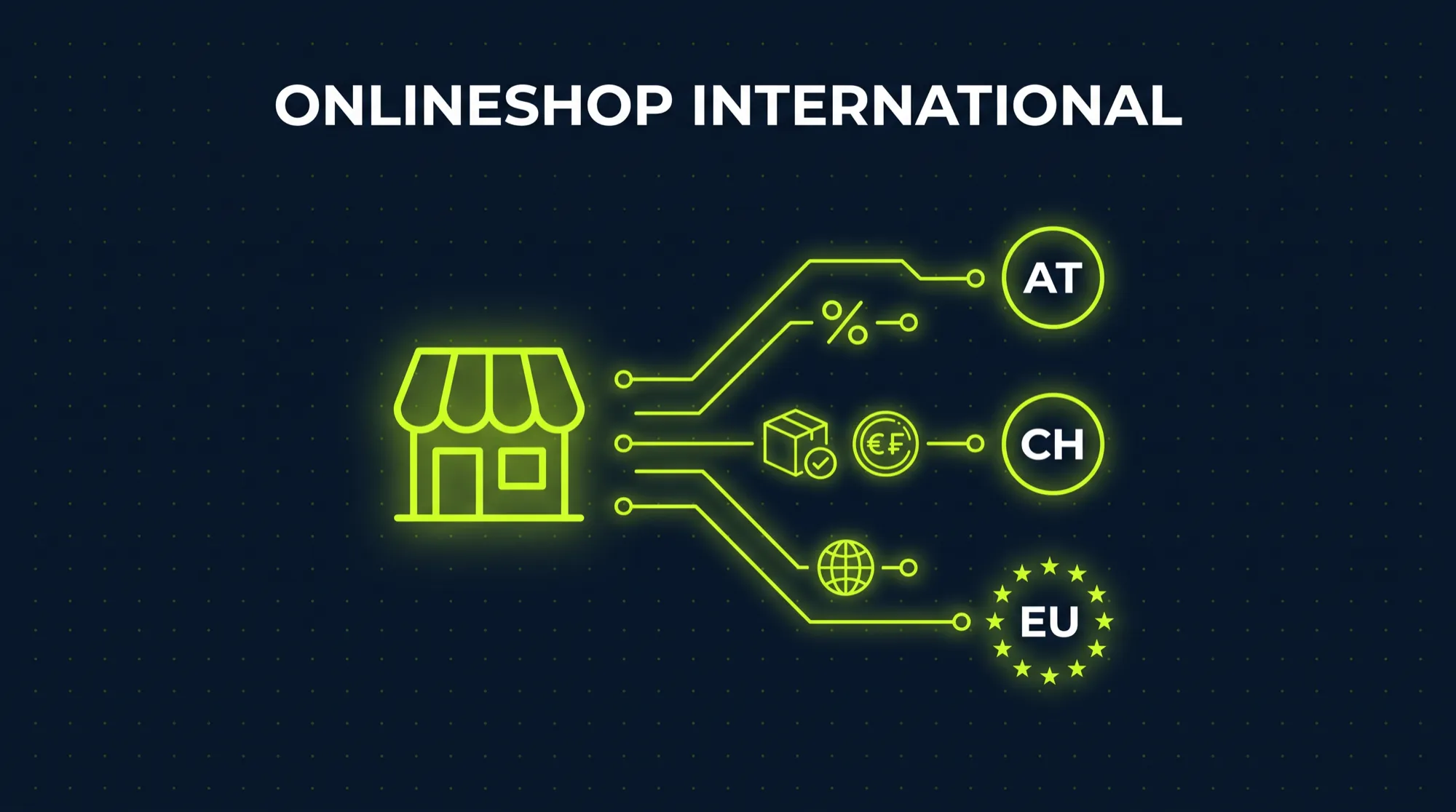
The question I hear most from merchants in the DACH region is simple: does ChatGPT Shopping even work for us yet? Honest answer: partly. ChatGPT Shopping has three layers, and they’re at very different stages outside the US.
| Layer | Works in Europe? | Requirement | Cost | What you can do |
|---|---|---|---|---|
| Organic product cards | Yes | Crawlable store, structured product data, presence in third-party sources | Free | Optimize your store technically and content-wise for AI crawlers |
| ChatGPT Shopping Research | Yes, for logged-in users | Same as organic cards, plus complete product attributes | Free | Maintain attributes, variants and comparison details |
| Official product feed (merchant program) | Limited | Application to OpenAI, default target market is the US, other countries only after approval | Free | Apply if you sell to the US |
| Shopify Agentic Storefronts | Limited | Store must sell to US customers, products must be eligible for Shopify Catalog | No channel fee | Check US shipping, complete policies and product data |
| Buying inside the chat (Instant Checkout) | No | Scaled back heavily since March 2026, only individual US partners | Transaction fee | Don't wait for it, optimize your own checkout |
| ChatGPT Ads | Yes, since August 2026 | Account in OpenAI Ads Manager, shown only to Free and Go users | Pay per click | Run a test budget once the organic foundation is in place |
For most European merchants this means the biggest lever in ChatGPT Shopping right now is organic visibility. It’s free, it works here, and it pays off on Perplexity, Gemini and Google AI Mode at the same time. If you already ship to the US, set up the feed and the Shopify channel right away as well.
How ChatGPT Shopping selects products
OpenAI doesn’t publish a ranking algorithm, but its Help Center and developer docs are fairly clear about the factors. Three levels matter most for ChatGPT Shopping.
1. Relevance to the specific question. ChatGPT Shopping looks at the query itself and the user’s context, meaning earlier messages, memory and custom instructions. Someone asking for a “quiet coffee grinder for a small kitchen” gets different products than someone typing “best coffee grinder”. OpenAI lists price, reviews, available options and ease of use as example factors.
2. Quality of the product data. According to OpenAI, product information comes from third-party metadata providers or directly from merchants. The more complete and consistent your titles, descriptions, attributes, prices and availability are, the easier it is for ChatGPT to match a product to a specific question. In the feed documentation, OpenAI states outright that recommended fields improve ranking, relevance and user trust.
3. Seller selection per product. When several stores sell the same product, ChatGPT orders sellers by availability, price, quality, and whether the seller is the manufacturer or primary seller. This decides whether you appear in the seller list for a branded product at all, next to Amazon and the big retailers.
That gives you the signals you can actually influence in ChatGPT Shopping:
- Structured product data per Schema.org, meaning
ProductwithOffer,AggregateRating, GTIN, brand, shipping and return details. - Descriptions that answer real questions: who the product is for, what it’s used for, dimensions, materials. The guide to product page optimization covers how to write pages that work for people and machines alike.
- Reviews with count and average, ideally marked up in machine-readable form on the product page.
- Current prices and stock levels. Stale prices make ChatGPT prefer another seller.
- Mentions in third-party sources such as test reviews, comparison sites, trade media, Reddit and forums. ChatGPT draws a large share of its recommendations from sources that talk about your product, not just from your store.
The three routes into ChatGPT Shopping
Products can land in ChatGPT Shopping in three ways. They aren’t mutually exclusive, and most successful merchants use more than one.
Route 1: Organic, via crawling and structured data
This is the route open to every store in Europe. OpenAI crawls the web with OAI-SearchBot for search and for ChatGPT Shopping. Separate from that is GPTBot, which collects content for model training, and ChatGPT-User, which fetches pages when a user specifically asks about them in the chat.
For your products to appear organically in ChatGPT Shopping, OAI-SearchBot at least has to be allowed to crawl your store. Whether you let GPTBot in for training is a separate decision with no direct effect on shopping visibility.
Route 2: Shopify Catalog and Agentic Storefronts
Since March 2026, Shopify’s Agentic Storefronts are switched on by default. Shopify makes product data from eligible merchants available to ChatGPT through Shopify Catalog, and OpenAI says Shopify merchants are included automatically this way.
The catch for European merchants: according to the Shopify Help Center, the store has to sell to customers in the US. Where the company is based doesn’t matter. So if you already ship to the US, you get this channel more or less for free, as long as your product data is clean. If you only ship within Europe, it doesn’t help you yet. Shopify says merchants will be ready by default once more regions open up. There’s no date for that.
Route 3: The official ChatGPT Shopping feed
Through the merchant program at chatgpt.com/merchants, retailers can apply and send a product feed straight to OpenAI. The feed is delivered as a full snapshot at least once a day, and prices and stock can also be updated through an API during the day. By default the feed targets the US market. Per the documentation, OpenAI has to confirm other countries and currencies individually.
If you already run feed infrastructure, say from a PIM for Shopify, the effort is manageable because most fields are maintained for Google Merchant Center anyway. If your product data still lives across spreadsheets and theme metafields, this is the point where proper product information management stops being a nice-to-have.
The ChatGPT Shopping feed: required fields and Shopify mapping
Even if you can’t submit the feed directly from Europe yet, the field list is worth a look. It shows quite precisely which information OpenAI considers relevant for ChatGPT Shopping. The same information should be machine-readable on your product pages, because the crawler is essentially looking for the same data.
| Field | Required? | Meaning | Source in Shopify | Typical mistake |
|---|---|---|---|---|
| item_id | Yes | Unique ID per variant | Variant ID or SKU | Product ID instead of variant ID, so sizes and colors go missing |
| title | Yes | Product name | Product title | Internal names or bare item numbers |
| description | Yes | Plain-text description | Product description (HTML stripped) | Empty or copied manufacturer copy |
| url | Yes | Link to the product page | Product URL with variant parameter | Redirects or links to category pages |
| brand | Yes | Brand | Vendor | Store name instead of brand |
| seller_name | Yes | Seller name | Store name | Inconsistent spelling across channels |
| image_url | Yes | Main image | First product image | Images with text overlays or placeholders |
| availability | Yes | Availability | Inventory | Outdated stock, sold-out items shown as available |
| price | Yes | Price with currency | Variant price | Price without currency, or net instead of gross |
| gtin / mpn | Recommended | Global product identifier | Variant barcode field | Missing entirely, so no matching with other sellers |
| review_count / star_rating | Recommended | Review count and average | Review app (metafields) | Reviews loaded only via JavaScript, invisible to crawlers |
| shipping_price | Recommended | Shipping cost | Shipping settings | Missing, so ChatGPT can't compare total price |
| return_policy / return_deadline_in_days | Recommended | Return terms | Store policies | Return policy only as a PDF or image |
| color / size / material | Recommended | Attributes for specific questions | Variant options and metafields | Attributes buried in body text |
The feed also has control fields such as is_eligible_search for search visibility and is_ads_eligible for use in ads. OpenAI notes explicitly that eligibility doesn’t guarantee display. In ChatGPT Shopping, relevance still decides.
Step by step: preparing your store for ChatGPT Shopping
These seven steps apply to every store, whether or not you sell to the US. They’re ordered by effort and impact, and a technical team can get through the first three in a few days.
1. Check crawler access. Open your-domain.com/robots.txt and check whether OAI-SearchBot is blocked. In Shopify you edit this through the robots.txt.liquid template in your theme. A sensible baseline looks like this:
User-agent: OAI-SearchBot
Allow: /

User-agent: ChatGPT-User
Allow: /

# Decide on training separately
User-agent: GPTBot
Disallow: /
Check your bot protection too. Cloudflare and some Shopify apps block AI crawlers by default, regardless of what your robots.txt says. That’s the most common reason a store is missing from ChatGPT Shopping entirely.
2. Complete your structured data. Every product page needs valid JSON-LD with Product, Offer (price, currency, availability), AggregateRating, brand, gtin, and ideally shippingDetails and hasMerchantReturnPolicy. Many Shopify themes only output part of that. The article on Shopify Liquid explains how much room the theme code gives you to add it properly.
3. Render reviews server-side. Many review apps load stars and review text via JavaScript after the page loads. To a person the page looks complete. To a crawler the reviews are missing. Check the page source to see whether review count and average are in the HTML.
4. Write product copy around questions. ChatGPT Shopping answers questions like “Which backpack fits a 15-inch laptop and still counts as Ryanair hand luggage?” Your description should contain exactly those details: dimensions, weight, use case, target customer, how it differs from similar products. A short FAQ block on the product page helps too.
5. Fill in your store policies. Shipping, returns, legal notice, terms and privacy need to be easy to find and readable as text. Shopify even requires this for Agentic Storefronts, and for crawling, clear policies are a trust signal as well.
6. Build presence in third-party sources. Send samples to review sites, get into relevant comparisons, and watch which sources ChatGPT cites for questions in your category. It’s not a technical step, but it often has the biggest effect. The idea behind it, building expertise across a whole topic rather than individual pages, is covered in the article on topical authority in e-commerce SEO.
7. Assess the US option. If you already ship to the US or plan to, turn on Agentic Storefronts in Shopify and apply to the merchant program in parallel. Shopify’s guidance: put mandatory legal disclosures in the first 6,000 characters of the product description, because longer text may be cut off.
Instant Checkout: what happened to buying inside ChatGPT
In September 2025, OpenAI and Stripe introduced the Agentic Commerce Protocol (ACP), an open standard that lets AI agents place orders directly with merchants. Instant Checkout was built on it: users were supposed to buy from Etsy and Shopify merchants without leaving ChatGPT. Many articles on ChatGPT Shopping still describe this as the core of the feature.
On March 24, 2026, OpenAI changed course. According to CNBC, ChatGPT Shopping is shifting toward product discovery, with purchases going through the merchant’s own checkout. Retailers like Target, Sephora and Nordstrom support the new setup, and Walmart runs its own app inside ChatGPT. One reason for the reversal: the same report says in-chat purchases at Walmart converted about three times worse than sending shoppers to its own site. Whether Instant Checkout continues for individual partners isn’t clear. The technical spec is still in the docs, but for European merchants it’s irrelevant right now.
The consequence for you is straightforward: conversions from ChatGPT Shopping happen on your product page and in your checkout. A visitor arriving from ChatGPT has often made up their mind already and just wants to confirm that price, shipping and delivery time check out. If your product page loads slowly, the price doesn’t match, or shipping costs only appear at step three of checkout, you lose exactly this unusually ready-to-buy traffic. The guides to product page optimization and checkout optimisation show how to prevent that.
ChatGPT Ads vs. organic placement vs. feed
Since August 2026, there’s a paid option in Europe. ChatGPT Ads are booked through the OpenAI Ads Manager and shown only to users on the Free and Go plans. Personalized ads aren’t planned in the EEA and Switzerland at launch. For Shopify merchants, a ChatGPT Ads app has been available internationally since September 2026.
| Criterion | Organic (crawling) | Feed / Shopify Catalog | ChatGPT Ads |
|---|---|---|---|
| Available to Europe-only stores | Yes | No (US sales required) | Yes |
| Ongoing cost | None | None | Cost per click, flexible budget |
| Setup effort | Medium (tech, data, content) | Low to medium | Low |
| Reach | All ChatGPT users | All ChatGPT users in the target market | Free and Go users only |
| Labelling | Organic recommendation | Organic recommendation | Labelled as ad |
| Effect outside ChatGPT | High (Perplexity, Gemini, Google AI Mode) | Low | None |
| Time to impact | Weeks to months | Days to weeks | Immediate |
My recommendation for most European merchants: build the organic foundation for ChatGPT Shopping first, then test ads. Ads pointing at a product page with incomplete data and mediocre conversion just burn budget. If you already sell across several channels, treat ChatGPT as one more channel in your existing multichannel strategy, not as an isolated experiment.
Measuring ChatGPT Shopping traffic and estimating the potential
Without numbers, ChatGPT Shopping won’t get budget internally. That’s just how it is. Fortunately, traffic from ChatGPT Shopping is fairly easy to identify. ChatGPT usually appends utm_source=chatgpt.com to outbound links, and chatgpt.com shows up as the referrer.
Here’s how to set up measurement:
- In GA4, create a custom channel group called “AI assistants” with a source or referrer rule matching this pattern:
chatgpt\.com|chat\.openai\.com|perplexity\.ai|gemini\.google\.com|copilot\.microsoft\.com. - In Shopify Analytics, filter sessions and orders by referrer and UTM source. That way you see not just visits but revenue and conversion rate from ChatGPT Shopping.
- For prompt monitoring, define 20 to 50 typical buying questions in your category and check monthly whether, and with which products, your store appears in ChatGPT. There are tools for this now, but a spreadsheet is fine to start.
How big is the lever? Adobe reported that in Q1 2026, AI-referred traffic to US retail sites grew 393 percent year over year and converted 42 percent better than other traffic. A year earlier, it converted well below average. At the same time, the share of total traffic is still small in most stores, often under one percent. Use the calculator to estimate what ChatGPT Shopping could mean for your store.
Run two scenarios on purpose: a conservative one with your normal conversion rate and a 1 percent AI share, and an optimistic one with 1.4 times your conversion rate and a 2 to 3 percent share. The gap tells you how much effort ChatGPT Shopping is worth economically.
The bigger picture: Google AI Mode, UCP and Perplexity
ChatGPT Shopping isn’t the only AI channel, which is reassuring for merchants. Google developed the Universal Commerce Protocol (UCP) together with Shopify, Etsy, Wayfair, Target and Walmart, and it powers purchases in Google AI Mode and Gemini. As of October 2026 it’s limited to the US, Canada and Australia. Perplexity also runs a merchant program with checkout, also US-only for now.
All three providers follow the same pattern: product discovery works globally, while in-chat checkout starts in the US. And at the core, all three systems weigh the same signals: complete, structured, current product data, trustworthy sellers, and mentions in sources they trust. Every hour you put into data quality for ChatGPT Shopping also counts on Google and Perplexity.
The most common ChatGPT Shopping mistakes
1. Blocking AI crawlers without realizing it. A blanket bot block in Cloudflare or an old robots.txt rule is enough to keep your store invisible in ChatGPT Shopping. Check this first.
2. Waiting for the feed instead of building the foundation. Many European merchants are waiting for OpenAI to open the merchant program in their market. If your product data isn’t clean by then, you can’t fill the feed properly on day one anyway.
3. Price and availability out of sync. When ChatGPT shows a price that no longer matches your store, you lose the shopper’s trust and probably your spot in the seller list too.
4. Copying manufacturer descriptions. If ten stores use the same copy, ChatGPT has no reason to recommend you specifically. Your own content with use cases, comparisons and real answers sets you apart.
5. Running ads before the data is ready. ChatGPT Ads can buy short-term visibility, but without complete product data and a product page that converts, you’re paying for clicks that don’t buy.
Checklist: is your store ready for ChatGPT Shopping?
Ten or more points means your store is in good shape for ChatGPT Shopping and you can start thinking about ads or the US market. Six to nine points usually means a few technical pieces are missing that can be fixed quickly. Five or fewer, and your store is largely invisible to ChatGPT right now, while your competitors get those recommendations.
Frequently asked questions about ChatGPT Shopping
Does ChatGPT Shopping work in Germany and Europe?
Partly. Product cards and ChatGPT Shopping Research already show up for European users, and merchants can appear there organically. As of October 2026, the official product feed and the Shopify channel require selling to customers in the US. Buying directly inside the chat isn’t available in Europe.
How do I get my products into ChatGPT Shopping?
Through three routes: organically, by letting the OAI-SearchBot crawler read your store and find structured product data; through Shopify Catalog and Agentic Storefronts if you sell to the US; and through your own product feed after applying to OpenAI at chatgpt.com/merchants.
Is ChatGPT Shopping free for merchants?
Organic placement and the product feed are free. Shopify charges no extra channel fee for Agentic Storefronts. Costs only come in with ChatGPT Ads, which can also be booked in Europe since August 2026.
Can you pay for placement in ChatGPT Shopping?
Not in the organic product cards. OpenAI says they’re selected independently and aren’t influenced by ads or partnerships. ChatGPT Ads are a separate, labelled format shown only to users on the Free and Go plans.
Can you buy directly inside ChatGPT?
Hardly anymore. OpenAI scaled back Instant Checkout in March 2026 and refocused ChatGPT Shopping on product discovery. Purchases usually happen in the merchant’s store, either in a new tab or in the in-app browser.
Does schema markup help with ChatGPT Shopping?
Yes, but it isn’t enough on its own. Structured data with Product, Offer, reviews and GTIN makes your products clearly readable for ChatGPT. Whether a product gets recommended also depends on relevance, price, availability and mentions in third-party sources.
Which fields does the ChatGPT Shopping feed require?
Nine fields are required: item_id, title, description, url, brand, seller_name, image_url, availability and price. Recommended fields include GTIN, review count and average rating, shipping cost, return terms, and color, size and material. The feed is delivered as a full snapshot at least once a day.
What's the difference between OAI-SearchBot and GPTBot?
OAI-SearchBot crawls content for search and ChatGPT Shopping. GPTBot collects content for training OpenAI’s models. To be visible in ChatGPT Shopping you need to allow OAI-SearchBot, while GPTBot can be blocked independently.
Conclusion: in ChatGPT Shopping, better product data wins
ChatGPT Shopping rewards merchants whose product data is complete, current and machine-readable, and whose products matter outside their own store too. For European merchants, submitting a feed and calling it done isn’t possible in 2026. The groundwork is, and it’s the bigger part of the job anyway: crawler access, structured data, your own product copy, reviews, and measurement you can trust.
Do that now and you show up in ChatGPT, Perplexity and Google AI Mode today. When OpenAI opens the feed for Europe, your catalog is already ready while others are still backfilling GTINs. And because the purchase happens in your own store, every improvement to your product pages and checkout pays off twice.
If you want to know how visible your store really is in ChatGPT Shopping today, and where the biggest gaps in your product data are: I’ll review your store for crawling, structured data and feed readiness, and tell you honestly which three changes will have the biggest effect, without selling you a particular tool at the end. Book a free intro call →