Monday, 8:30 a.m. The weekend was solid: 340 orders across Shopify, Amazon, and your own storefront. But before the first coffee, the first support ticket lands: “I paid for order #1847, but the item shows as out of stock.” Then a second one. Then an email from Amazon Seller Support: a performance warning for excessive cancellations.
What happened? Shopify showed 12 units in stock. Reality: 3. The rest had sold across other channels over the weekend, and Shopify had no idea.
This isn’t bad luck. It’s what happens systematically to every multichannel merchant running Shopify without a proper inventory management system. The question isn’t whether this will happen to you. It’s when.
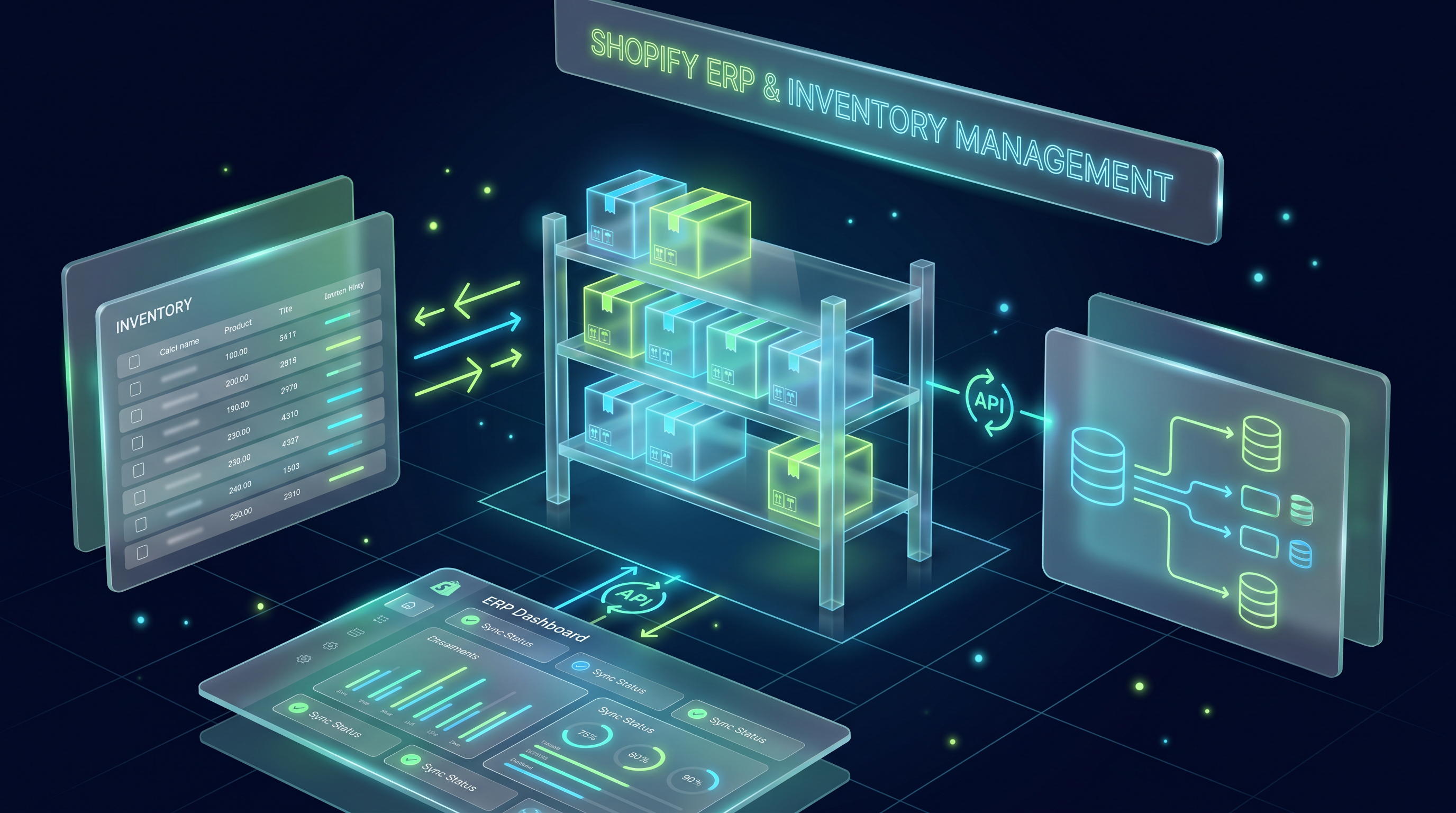
The fix isn’t another $29/month app. You need a Shopify ERP or inventory management system — something that centralizes and synchronizes your entire operation. But which one actually fits your store, your complexity, your budget?
I’m going to answer that from a perspective you won’t find at agencies or vendors: completely vendor-neutral. No referral fees. No partnerships with JTL, Xentral, or Billbee. Just operational experience from running many ERP projects in the DACH region (Germany, Austria, Switzerland), with merchants who got this decision both wrong and right.
What’s the difference between an ERP and an inventory management system for Shopify?
In e-commerce, inventory management (WMS/WaWi) and ERP (Enterprise Resource Planning) are often used interchangeably. That’s not completely wrong, but the distinction matters for your system choice.
An inventory management system for Shopify covers your core operations: stock, orders, suppliers, returns, shipping. It answers: what’s where, how much of it, and where is it going?
An ERP goes further. It integrates financial accounting, procurement, optionally production, and CRM into a single data foundation. It doesn’t just answer “what’s where” — it answers: what does it cost us, who ordered it, how do we book it?
For Shopify merchants, a practical rule of thumb: up to around $100k annual revenue, Shopify native plus a basic accounting export is usually enough. From $300k or multichannel operations, you need a dedicated inventory management system. From $1M revenue or own production, a full ERP integration makes sense. Above $5M, it’s no longer optional — it’s an operational requirement.
Most of the systems we’ll cover — JTL, Xentral, Billbee, Pickware, weclapp — can be configured as either a WMS or a full ERP depending on setup. The label matters less than the answer to one question: what do you actually need, and what does it cost you not to have it?
When does Shopify hit its native limits?
Shopify is an excellent commerce platform. But it isn’t an inventory management system, and the longer you treat it as one, the more that gap costs you.
Shopify natively offers inventory tracking, order overview, and basic reporting. What it doesn’t offer: real-time multichannel synchronization, structured supplier management, automated reorder triggers, compliant document archiving (critical in Germany for tax law), and complex serial number or batch tracking.
The concrete thresholds where a Shopify inventory management system becomes operationally necessary:
| Signal | Threshold | Symptom without a WMS |
|---|---|---|
| Order volume | ~50 orders/day | Manual processing becomes a full-time job |
| SKU count | ~500 products | Product data maintenance always doubled |
| Sales channels | 2+ channels (Shopify + Amazon) | Overselling from missing sync |
| Suppliers | 3+ active suppliers | Procurement without a system is chaos |
| Return rate | ~15%+ | Inventory permanently inaccurate |
| Team size | 3+ people in operations | No consistent data status across the team |
| Revenue | ~$300k/year | Accounting overhead no longer scalable |
The five most common pain points without a Shopify inventory system
Overselling is the most visible problem. Your Shopify store doesn’t know your Amazon inventory, and your Amazon listing doesn’t know your Shopify stock. The Monday morning scenario from above isn’t an edge case. It happens systematically to every multichannel merchant without real-time sync.
Even more invisible — and more expensive — is duplicate data entry. Price changes, stock levels, product descriptions: with 200 SKUs across multiple channels, your team spends hours each day entering the same data in different places. Eventually someone makes a mistake. Usually at the worst possible moment.
Returns get genuinely complicated without a central system: Shopify processes the refund, the warehouse doesn’t know, accounting asks for the credit note. Three systems, three data states, no unified process. Most merchants systematically underestimate what their return rate is actually costing them.
For merchants operating in Germany, Austria, or Switzerland, tax compliance is the biggest overlooked risk. German tax law requires GoBD-compliant document archiving and DATEV-compatible bookkeeping. Shopify exports only meet this rudimentarily — which means manual month-end closes, booking errors, and real liability exposure.
And finally the least visible problem: no reliable planning foundation. Without a structured inventory system, you don’t know which products need reordering and when, how much capital is tied up in stock, or whether a supplier is falling behind on lead times. You’re making procurement and inventory decisions on gut feel, which directly hits the e-commerce metrics that matter most — inventory turnover and cash conversion cycle.
The 7 selection criteria for your Shopify ERP system
Before you sit through a single vendor demo, get clarity on these seven criteria. They define which systems are worth considering — and which you should turn down despite the good pitch.
1. Shopify integration depth
Not every “Shopify ERP integration” is equal. The key question: does the system sync bidirectionally in real time, or only one direction, only hourly, or only via manual export?
Test in the demo specifically: Does inventory sync in both directions? Are orders imported automatically? Are product attributes, images, and prices pushed from the ERP to Shopify? Are tracking numbers written back automatically? If you can’t get a clear answer to these questions, you have your answer.
Systems certified through Shopify’s Global ERP Program have more reliable connections than third-party tools working through generic API middleware.
2. Local accounting requirements
This is the criterion that international ERP tools consistently underestimate — and that costs DACH merchants dearly.
German tax law requires DATEV compatibility, GoBD-compliant archiving, and correct VAT handling: 7%/19% rates, reverse charge on B2B EU deliveries, the OSS procedure for EU exports. Systems like Pickware are built from the ground up for the German market. JTL and Xentral cover these requirements as well. International systems like NetSuite or Brightpearl need additional DACH-specific configuration — and that configuration isn’t free.
3. Multichannel capability
Running Shopify today and planning to add Amazon, eBay, or other marketplaces? A Shopify inventory system that only speaks Shopify becomes a dead end the moment you add a second channel.
JTL is traditionally the strongest here. plentyONE has multichannel even more deeply embedded in its DNA. Xentral has built marketplace connections through Xentral Connect. Billbee is effectively a multichannel order management tool, but it’s not a full inventory management system.
4. Scalability and API quality
The Shopify ERP you choose today shouldn’t force you into another migration project in three years.
Ask: how many orders per month can the system handle without performance degradation? Is the architecture cloud-native or on-premise with a cloud option? What does the API look like — REST or GraphQL, full documentation, stable versioning?
Especially relevant in 2026: modern ERP systems are becoming the data foundation for AI applications in e-commerce. Structured product attributes — material, dimensions, seasonality, compatibility — are the basis for AI-powered product recommendations. An ERP without a clean attribute structure simply isn’t usable for AI applications.
5. Implementation effort and self-service potential
Billbee and weclapp can be set up by experienced merchants themselves, in days to a few weeks. JTL and Xentral typically require specialist agencies. That’s not a weakness of those systems — but it significantly increases the real total cost if you don’t factor it in.
The more complex your process, the more implementation support you’ll need, and the more carefully you should check whether the system supports your process or tries to replace it.
6. Total cost of ownership over 36 months
License costs are what’s on the pricing page. TCO is what you actually pay. Always calculate:
TCO (36 months) =
  License costs × 36
  + Onboarding / setup costs (one-time)
  + Connector / add-on costs
  - Saved manual labor costs (hours × hourly rate)
A system at $99/month with high setup costs can cost significantly more over 36 months than one at $300/month that you can set up yourself. The cheaper system is often the more expensive one. This isn’t an exception — it’s the rule.
7. Support quality and community
When your ERP-Shopify sync breaks at 10:30 p.m. the night before Black Friday, you want to know there’s support that responds. And a community that’s already solved the problem.
JTL has one of the most active DACH e-commerce communities (the JTL forum). Xentral has a Slack community and documented API. Billbee is known for fast support. Pickware uses Shopify’s own support infrastructure. weclapp stands out for personal onboarding. These aren’t minor points — they’re the moments that determine hours versus days of downtime.
The best Shopify ERP and inventory management systems compared
| System | Type | Starting price | Implementation | Shopify depth | Accounting | Multichannel | Best for |
|---|---|---|---|---|---|---|---|
| JTL-Wawi | ERP/WMS | Free (Connector from €49/mo.) | High (agency) | ★★★★★ | DATEV native | ★★★★★ | Merchants >500 SKUs, multichannel, own warehouse |
| Xentral | ERP | From ~€100/mo. | Medium–High | ★★★★☆ | DATEV included | ★★★★☆ | D2C brands, API-focused teams, growth-oriented |
| Billbee | Order mgmt. | From €9/mo. + per order | Low (self-serve) | ★★★★☆ | Export only | ★★★★☆ | Up to ~500 orders/mo., early stage |
| Pickware | WMS/WMS | From €99/mo. | Low–Medium | ★★★★★ | DATEV native | ★★☆☆☆ | Shopify-first, retail+online, DACH |
| weclapp | ERP/CRM | From ~€39/user/mo. | Medium | ★★★☆☆ | Included | ★★★☆☆ | SMBs, B2B merchants, service+commerce |
| plentyONE | All-in-one | From ~€599/mo. | High | ★★★★☆ | Included | ★★★★★ | Marketplace power sellers, multichannel-first |
| Microsoft Dynamics 365 BC | Enterprise ERP | From ~€70/user/mo. | Very high | ★★★★☆ | DACH add-on | ★★★★☆ | Enterprises, Microsoft stack, international |
JTL-Wawi: The DACH standard for multichannel merchants
JTL is the most widely used Shopify inventory management system in the German-speaking market by install base. The base software is free; the Shopify connector is paid, with a new plan structure (Start through Enterprise) introduced in June 2025.
Why JTL leads the market: product data structuring is unmatched in the DACH space, the WMS integration (JTL-WMS with barcode scanner support) is standard at many mid-size warehouses, and the multichannel connections for Amazon, eBay, and other platforms are battle-tested. The community is large enough that almost every problem has already been solved in the JTL forum.
The trade-offs: JTL runs on a Windows Server architecture from a different era. It isn’t cloud-native, even though cloud hosting options exist. Without a specialist agency, you can’t realistically set it up well. For complex setups, that’s not optional — it’s mandatory. And the new connector pricing structure adds costs that many merchants haven’t budgeted for. Check the current plan before signing.
Best for merchants with their own warehouse, 500+ SKUs, multichannel operations, and around 100+ orders per day.
Xentral: The cloud ERP for growing D2C brands
Xentral has become the standard ERP for growing direct-to-consumer brands in Germany. API-first, cloud-native, with 1,000+ integrations and a modern workflow automation engine.
Where Xentral outperforms most alternatives: the API quality is excellent and well-documented, process automation is flexible without needing developers, the architecture is AI-ready (structured product attributes are handled cleanly), and Shopify POS is supported. The system genuinely scales with D2C brands.
Where it gets complicated: marketplace connections partly run through third-party middleware (Xentral Connect), which adds cost. Implementation effort for complex projects, with deep marketplace connections and custom process automation, can be substantial and depends heavily on your data quality and integration scope. For traditional brick-and-mortar retailers or businesses with legacy ERP infrastructure, Xentral is often a poor fit.
Best for D2C brands with €200k–5M GMV, a modern tech stack, and real growth ambitions.
Billbee: A solid start, but not an ERP
Billbee is the most frequently miscategorized tool in this comparison. It isn’t an ERP — it’s a multichannel order management system with basic inventory features.
The case for it: Billbee is up and running in hours (genuinely), very user-friendly, with fair pay-per-order pricing for lower volumes, and support that actually responds. As an official Shopify Partner, the integration is solid.
The problem: no real procurement module, no replenishment or forecasting, rudimentary product data management without attribute structure. Above 500 orders per month, Billbee starts to strain. Merchants who stay too long end up paying for a more complex migration project later.
Best for stores in the early stage up to about €300k GMV, a maximum of two channels, small teams.
Pickware: The underrated Shopify-native alternative
Pickware is the only system in this comparison built from within Shopify — as an app in the Shopify App Store. No middleware, no separate installation, native Shopify data structure.
That makes it particularly interesting for DACH merchants with a Shopify-first strategy: inventory management runs directly inside the Shopify admin, the mobile barcode scanner app for the warehouse is included, DATEV integration is native (not via export), and POS integration for brick-and-mortar retail works. From €99/month, the entry point is manageable.
Where Pickware doesn’t fit: marketplace connections are significantly weaker than JTL. For merchants with a warehouse ecosystem outside Shopify, or for enterprise requirements, the system is too limited.
Best for Shopify-first merchants with retail locations, a DACH focus, and up to €2M GMV.
weclapp: The SMB ERP with CRM depth
weclapp gets less attention in the Shopify context than JTL or Xentral — which is a mistake. As a cloud ERP with strong CRM and financial integration, it’s particularly well-suited for B2B merchants who need to manage not just inventory, but customer relationships and finances from a single system.
The case for it: the balance of ERP and CRM is well-suited for SMBs, experienced merchants can set it up themselves, the entry price is fair, and the accounting integration is solid.
Where it hits limits: Shopify integration depth doesn’t match JTL. For pure multichannel merchants with high order volumes, the system is too constrained.
Best for B2B merchants, mixed service-and-commerce businesses, up to around €1M GMV.
What does a Shopify ERP integration actually cost? Official license and plan costs compared
These are the official licensing and plan costs for the leading Shopify inventory management systems. What setup and implementation adds depends heavily on your data quality and process complexity — it can’t be quoted as a flat rate.
| System | Pricing model | Starting/mo. | License cost 36 mo. | Shopify connector | Note |
|---|---|---|---|---|---|
| Billbee | Pay-per-order | From €9 + order fee | ~€1,700 | Included | Free up to 10 orders/mo. |
| JTL-Wawi | Free software + connector | Connector from €49/mo. | ~€1,800 | From €49/mo. (required since 06/2025) | Base software itself is free |
| Pickware | Flat rate | From €99/mo. | ~€3,600 | Native (app, no extra charge) | Deeply integrated — no separate connector |
| Xentral | Flat rate by plan | From ~€100/mo. | ~€3,600 | Included | Enterprise pricing on request |
| weclapp | Per user | From ~€39/user/mo. | ~€4,200 (3 users) | Included | CRM and ERP combined |
| plentyONE | All-in-one | From ~€599/mo. | ~€21,600 | Included | Marketplace + shop + ERP in one platform |
| MS Dynamics 365 BC | Per user | From ~€70/user/mo. | ~€7,600 (3 users) | Via certified connector | Part of Shopify Global ERP Program |
For context: if your operations currently spend 30 hours per month on manual work — order transfers, inventory reconciliation, invoicing, accounting exports — at an internal cost of €35/hour, that’s €1,050 in monthly savings. Over 36 months: €37,800. That exceeds the license cost of every system in this table.
Break-even =
  License cost (36 months)
  / (Hours saved per month × Internal hourly rate)
  = Months to ROI
Concrete example: Pickware at ~€3,600 in license costs, 15 hours saved per month at €35/hour: 3,600 / (15 × 35) = 6.9 months to break-even
The Shopify Global ERP Program: what it actually means
Shopify’s Global ERP Program is a certification for ERP systems with deep Shopify integration. Certified partners have a direct API connection without going through the App Store layer — which means more stable data sync and faster updates.
Current members (as of 2026): Microsoft Dynamics 365 Business Central, Oracle NetSuite, Acumatica, Brightpearl, Infor.
What this means in practice: the systems most relevant to German-speaking merchants — JTL, Xentral, Billbee, Pickware — are not in the Global ERP Program. That doesn’t mean they have poor Shopify integrations. JTL and Pickware offer deeper DACH-specific functionality than NetSuite ever could. For enterprise companies with international scope and a Microsoft or Oracle stack, the Global ERP Program members are worth a look. For the typical DACH online merchant with €300k–10M GMV, the local systems are the better choice.
Step by step: how to integrate an ERP with Shopify
An ERP-Shopify integration is not plug-and-play. These five phases separate successful projects from expensive disasters.
Phase 1: Data strategy before system selection (2–4 weeks)
Before choosing a system, get clarity on your data: how many active SKUs? How many historical orders? Are your product attributes structured, or organically grown chaos? Are there leftovers in Shopify — duplicate variants, wrong categories, missing fields?
A clean data model matters more than the right system. The best Shopify inventory management system can’t fix chaotic data. It multiplies it.
Phase 2: System selection using the criteria (1–2 weeks)
Use the seven criteria from this guide as your decision framework. Get concrete proposals from at least three vendors, and ask each one to show you the full 36-month TCO — not just the monthly fee.
In the demo, test specifically: how does the system behave with your actual product data? Can it import your existing Shopify structure directly? What mapping work is required?
Phase 3: Pilot integration with test data (2–6 weeks)
Never go live without a pilot phase. Import a subset of real data — 50 products, last 30 days of orders — into the new system. Test every critical workflow: order import, stock adjustment, return processing, invoice creation, accounting export.
Document every error. Clarify before go-live which manual exceptions will remain.
Phase 4: Data migration and go-live (1–3 weeks)
Schedule go-live on a quiet trading day. Tuesday morning is ideal; Thursday evening before a weekend is a bad idea. Run the full data migration and lock Shopify orders for 2–4 hours during the initial sync.
Keep capacity free in the first week after go-live. Corrections always appear. That’s not an exception — it’s normal.
Phase 5: Process optimization after go-live (ongoing)
Implementation isn’t an endpoint. After 4–6 weeks of real operation, you’ll see which processes the system supports well and where manual intervention is still needed. Use this phase actively to build out automations.
A well-run Shopify ERP system generates ROI through continuous process optimization, not through the initial setup. This is also why Shopify stores that scale successfully consistently invest in ERP infrastructure from around €500k GMV onwards.
The 5 most common mistakes in Shopify ERP implementation
These mistakes regularly cost DACH merchants five-figure sums in implementation time, duplicate work, and missed growth.
Mistake 1: Choosing the cheapest system, not the right one. Running Billbee at 500 orders per day because the license cost looks better than JTL costs you hours of manual work every day. License costs are the smallest line item in TCO. Opportunity costs are the problem.
Mistake 2: Cutting the implementation timeline in half. “We can get this done in a week” is the most common sentence before a JTL or Xentral project. And the most common miscalculation. Plan 2.5 times your first estimate. Always.
Mistake 3: No data strategy before migration. Shopify product data that has grown organically over years — duplicate variants, missing attributes, inconsistent categories — can’t simply be imported. Clean data before migration saves weeks of correction work afterward.
Mistake 4: Running back-in-stock without ERP sync. Your back-in-stock system is only as good as the underlying inventory data. If ERP and Shopify aren’t synchronized, you’re sending notifications for items that sold out again an hour ago. That destroys trust with exactly the customers you were trying to re-engage.
Mistake 5: Treating the ERP rollout as an IT project, not an operations project. ERP implementations rarely fail because of technology. They fail because the people who use the system daily aren’t involved. Bring your fulfillment team, your accountant, and your customer service lead to the table from day one.
Shopify ERP and AI: why your data quality matters beyond efficiency in 2026
This sounds like a future topic. It isn’t.
AI-powered product recommendations in your store — chatbots, personalized suggestions, dynamic product filters — only work precisely when the underlying product data is structured. An item without structured attributes (material: 100% cotton, fit: regular, season: summer, compatible with: model XY) is largely invisible to AI systems.
Where do those attributes come from? Not from Shopify. Shopify is a commerce platform, not a PIM. They come from the ERP system — if it’s configured properly.
Choosing a Shopify inventory management system with weak attribute management today means investing in infrastructure that will be unusable for the most important AI applications in three years. JTL and Xentral are currently the strongest here.
The topic of AI in e-commerce in 2026 is directly tied to the quality of your ERP data — a connection most vendors won’t mention in their demo calls.
Frequently asked questions about Shopify ERP integration
What is the best ERP for Shopify?
There is no universally best Shopify ERP. For multichannel merchants with their own warehouse, JTL-Wawi is the DACH market leader. For growing D2C brands with an API-first focus, Xentral is often the better choice. For Shopify-first merchants up to €2M GMV, Pickware offers the cleanest integration. For the early stage up to about €300k GMV, Billbee is sufficient.
When do I need a Shopify ERP integration?
The concrete thresholds: around 50 orders per day, 500+ SKUs, two or more sales channels (Shopify plus Amazon), or €300k annual revenue. The more reliable signal is the symptom: if your team is spending more than 2 hours a day manually transferring data between Shopify and other systems, the break-even for a Shopify inventory system has already been reached.
What does a Shopify ERP integration cost?
Official license costs over 36 months: Billbee from ~€1,700, JTL connector from ~€1,800, Pickware from ~€3,600, Xentral from ~€3,600, weclapp (3 users) from ~€4,200, plentyONE from ~€21,600. What setup and implementation adds depends on your data quality and process complexity.
What's the difference between a WMS and an ERP for Shopify?
A warehouse management system (WMS) for Shopify covers core operations: inventory, orders, shipping, returns. An ERP adds financial accounting, procurement, optionally production, and CRM. In e-commerce, both terms are often used interchangeably. What matters isn’t the category — it’s whether the system covers your specific requirements, from Shopify integration depth to accounting compliance.
Is JTL or Xentral better for Shopify?
JTL is stronger for multichannel operations, own warehouse management, and deep product data structuring — and has the larger DACH community. Xentral is stronger for modern cloud architecture, API quality, and process automation for D2C brands. JTL is close to on-premise (Windows Server), Xentral is cloud-native. For merchants with Amazon and eBay alongside Shopify: JTL. For tech-savvy teams with growth ambitions: Xentral.
Can I use Billbee as a long-term Shopify inventory system?
Billbee is a good starting solution, but not a scalable long-term system. Above 500 orders per month, it lacks structured procurement management, replenishment planning, and real ERP accounting capabilities. Merchants who stay too long on Billbee pay for a more complex migration later. The earlier the switch to a scalable system, the cheaper.
Which ERP systems are certified in the Shopify Global ERP Program?
The Shopify Global ERP Program currently includes Microsoft Dynamics 365 Business Central, Oracle NetSuite, Acumatica, Brightpearl, and Infor. These systems have a direct API partnership with Shopify without going through the App Store layer. The DACH-popular systems JTL, Xentral, Billbee, and Pickware are not part of the program, but offer deeper DACH-specific functionality.
Do I need an agency to implement a Shopify ERP?
For Billbee and Pickware, usually not — both are self-implementable by experienced merchants. For weclapp, sometimes. For Xentral and JTL at medium to high complexity: yes. Not because the systems are unusable, but because data migration, connector configuration, and DACH accounting setup require specialist knowledge that a good agency brings significantly faster.
How long does a Shopify ERP implementation take?
Billbee: 1–3 days. Pickware: 1–2 weeks. weclapp: 2–6 weeks. Xentral: 6–16 weeks depending on data complexity. JTL: 8–20 weeks. The most common cause of delays: poor source data quality in Shopify and insufficient internal resources for data migration.
How does a Shopify inventory system handle back-in-stock workflows?
A properly configured Shopify ERP integration syncs stock additions after goods receipt automatically back to Shopify, which triggers back-in-stock notifications. Without ERP sync, stock changes arrive manually and delayed — leading to late notifications, or notifications for items that sold out again within hours.
My verdict: what I actually recommend to Shopify merchants
After running many ERP projects across the DACH region, my honest recommendation is this: don’t buy the system the most persuasive sales rep is selling. Buy the system that handles your current process and carries your planned process 24 months from now — at costs you can realistically budget over 36 months.
Answer three questions, and I’ll show you which system fits your situation:
What is your current annual GMV?
How many sales channels are you running?
What matters most to you?
What I’d advise against: putting the decision off. Every month without a proper Shopify inventory management system costs you manual hours, errors, and growth potential. As the license cost table above shows, that’s a cost you can actually calculate.
If you want to make this decision with solid foundations — no vendor interest, no referral fees, with a clear view of your specific operations — talk to me.
ERP consulting for your Shopify store
You now know more about Shopify ERP systems than most decision-makers who have already bought one. What’s missing: a sparring partner who knows your situation — revenue, channel structure, data quality — and gives a clear recommendation.
I offer a focused ERP consulting session for Shopify merchants: 60 minutes, structured analysis of your operational situation, a concrete system recommendation with reasoning and cost framework. No partner commissions. No agency interests. Just the recommendation I’d give if you were a friend asking me the question.