A question I hear increasingly often in initial conversations: “We’re looking at Plytix, or already tried it. What’s your take?” My answer is always the same: it depends. On your SKU count, your channel structure, your internal resources, and whether you know the add-on pricing before you make the decision.
This article is my honest assessment of Plytix PIM for Shopify, based on over 90 analyzed user reviews, actual Plytix documentation, and comparison with relevant alternatives. I receive no commission from Plytix, I am not an implementation partner, and I have no interest in whether you choose Plytix or not. I do have an interest in you making the right decision.
What Is Plytix PIM, and Who Is It Built For?
Plytix is a cloud PIM (Product Information Management) with integrated DAM (Digital Asset Management), founded in 2016 in Málaga, Spain. The product was built from day one for e-commerce teams without an IT department, without requiring an agency as a prerequisite. This fundamentally distinguishes Plytix from enterprise PIMs like Akeneo Enterprise, Salsify, or Pimcore.
Plytix’s core target audience: Shopify merchants and D2C brands in the SMB and lower mid-market segment with 500 to 50,000 SKUs, managing products across multiple channels or languages, who cannot or do not want to commit to a months-long implementation process. Plytix explicitly positions itself as “PIM for teams, not IT departments.”
Why this matters: comparing Plytix to Akeneo Enterprise or Pimcore is comparing different product categories. The right tool is not the most powerful one, it is the one that fits your specific needs. For the foundational question of whether a PIM for Shopify makes sense at all, see our comprehensive PIM for Shopify guide.
Plytix and Shopify: How the Integration Actually Works
This is where the marketing communication diverges most from technical reality. That is why this section gets more space than in competing articles.
What the Plytix Shopify Integration Can Do
The connection between Plytix and Shopify is established via a native app in the Shopify App Store. Installation: under 5 minutes. That is correct, and it is exactly what Plytix highlights in every marketing asset.
What actually synchronizes after that:
Product content (titles, descriptions, short descriptions), images with automatic resizing and transformation, variants, collections, inventory fields (no stock management, only field sync), metafields of most types, SEO meta titles and meta descriptions via metafields.
The Magic Importer automatically reads in all existing Shopify products on first connection. This significantly simplifies setup because no manual data migration is required as the first step.
Multiple Shopify stores can be connected to a single Plytix account. For merchants with multiple storefronts (for example DE and AT separately, or B2C and B2B), this is technically possible.
What the Plytix Shopify Integration Cannot Do
This is where most review articles go silent.
One-way synchronization only. Plytix syncs from Plytix to Shopify, not back. If someone edits a product description directly in Shopify, that change does not make it into Plytix. Anyone continuing to edit in Shopify will have outdated or overwritten data after the next Plytix sync. Plytix must consistently be the single source of truth for product data, or the integration does not work cleanly.
No support for reference metafields. Shopify has different metafield types. The so-called “reference” metafields (product reference, variant reference, page reference) are not synchronized by Plytix. Anyone using these for product linking or accessory relations needs to find another solution or go without.
Cache reset on mapping changes. Every change to the attribute mapping between Plytix and Shopify resets the entire sync cache. For large catalogs, this means a full resynchronization that can take hours depending on data volume. In practice, this creates a threshold against adjusting mappings after the fact.
SEO overwrite risk. If you activate Plytix for SEO title and meta description sync, Plytix will overwrite manually maintained SEO data in Shopify with every sync. This is not a bug but the intended behavior of a single-source-of-truth architecture. Anyone maintaining SEO data in both Shopify and Plytix needs to make a choice.
Separate authentication per store. Merchants connecting multiple Shopify stores need a separate login in Plytix per store. This is operational overhead for larger multi-store setups.
Theme compatibility requirement. Plytix’s metafield sync to Shopify requires a Metafields 2.0-compatible theme. Older themes or heavily customized themes can cause issues.
The Gap Between App Installation and Production Readiness
“5-minute installation” is accurate. Getting to full production readiness is a different journey.
Shero Commerce, one of the most experienced Plytix implementation partners, estimates a project duration of 4 to 7 weeks for a productive Shopify setup. Plytix itself describes its Managed Onboarding Program at 2 to 3 months. The difference is explained by data migration, attribute schema design, and channel output configuration.
What determines the timeline in practice: the quality and completeness of your source data. Starting from structured Excel product data is faster. Starting from inconsistent supplier CSVs and the Shopify backend takes longer.
Plytix Pricing 2026: All Costs, Add-ons, and What Review Sites Get Wrong
This is the section where almost all other English sources fail. Capterra shows different numbers from the Shopify blog, which differs again from G2. Many figures are outdated.
Here are the actual Plytix prices (as of Q2 2026, in USD, since Plytix bills internationally in dollars):
Plytix Base Plans
| Plan | Price/Month | SKU Limit | Users | API | Support | For Whom |
|---|---|---|---|---|---|---|
| Standard (Free) | $0 | 500–1,000 SKUs | Unlimited | Limited | Community | Real test, small catalogs |
| Pro | $499/mo (annual: ~$460) | 50,000 SKUs | Unlimited | Full | Dedicated CSM | Growing D2C brands, SMB |
| Enterprise | On request | Unlimited | Unlimited | Full + Custom | Premium | Mid-market, multi-store |
The Add-on Trap: What the Pro Plan Does Not Include
This is the most important section for budget planning, and simultaneously the one that no other review article covers.
The Pro Plan at $499 per month includes the core PIM and DAM functionality plus 500 AI credits per month. It does not include:
| Add-on | Price/Month | What It Includes | Who Needs It |
|---|---|---|---|
| Product Feeds | $300 | 150+ feed templates for marketplaces, Google Shopping, price comparison sites | Multi-channel merchants with Amazon, Google, comparison sites |
| Brand Portals | $300 | Interactive digital product catalogs for wholesale partners | B2B merchants with trade partners |
| Product PDFs | $200 | Automated PDF product data sheets and catalogs | Merchants with physical catalog requirements |
| Extra AI Credits | $50 per 1,000 credits | AI text generation, attribute extraction (500 free/month) | For heavy AI use with large catalogs |
What this means in practice: a Shopify merchant with multiple marketplace channels and B2B partners who books Pro plus Product Feeds plus Brand Portals pays $499 + $300 + $300 = $1,099 per month, plus any one-time onboarding costs.
Onboarding Costs
Plytix offers three onboarding paths:
- Free self-service onboarding with guide documentation and community support.
- “Purple Onboarding Package” (one-time $3,000): dedicated onboarding specialist, structured 8-week plan, data model review.
- Full-service implementation via certified Plytix partners (pricing on request, scales with catalog size, data quality, and integration scope).
For merchants who do not have an internal Plytix specialist, paid onboarding is the right investment in most cases. Implementation quality in the first phase determines years of data management quality.
TCO Comparison Over 36 Months
| Setup | License 36 Mo. | Onboarding | TCO 36 Mo. | For Whom |
|---|---|---|---|---|
| Plytix Free (Self-service) | $0 | $0 | ~$0 + time investment | Under 1,000 SKUs, testing |
| Plytix Pro (Self-service) | ~$18,000 | $0 | ~$18,000 | Pro without add-ons, 1 channel |
| Plytix Pro + Feeds | ~$28,800 | $3,000 | ~$31,800 | Multi-channel without B2B |
| Plytix Pro + Feeds + Portals | ~$39,600 | $3,000 | ~$42,600 | Multi-channel + B2B |
| Akeneo Cloud Growth (comparison) | ~$87,000 | Project-dependent | ~$87,000 + implementation | Mid-market reference |
| Hublify Pro (comparison) | ~$8,640 | Project-dependent | ~$8,640 + implementation | DACH alternative |
The direct comparison shows: Plytix is significantly cheaper than Akeneo Cloud in the SMB segment, but with a fully built-out add-on stack significantly more expensive than the headline “Free PIM” implies.
Plytix User Feedback: What Merchants Actually Praise
Based on 93 analyzed user reviews on Capterra, SoftwareAdvice, G2, and the Shopify App Store, a consistent picture emerges.
Plytix’s Strongest Points According to Users
Customer support is consistently the highest-rated dimension, 4.9 out of 5 across all platforms. That is unusual for SaaS products and not coincidental: Plytix invests substantially in onboarding support and has a dedicated customer success philosophy. Teams implementing a PIM for the first time who need guidance are better served by Plytix than by enterprise PIMs with a self-service focus.
The user interface is the second most common point of praise. Plytix is described by non-IT users as intuitive, with a spreadsheet-like interface accessible to teams without programming knowledge. This is the explicit product focus from day one.
PIM and DAM in a single system without a separate license is a meaningful advantage for many SMB teams. The alternative would be a PIM tool plus a separate asset management tool, which means additional integration work and license costs.
The free trial without a credit card is rare in the PIM world. Many enterprise PIMs require a demo appointment before you even get a test account. Plytix gives up to 1,000 SKUs free and allows genuine evaluation. This is a strategically smart approach for an SMB product.
Short implementation time compared to enterprise alternatives is regularly cited as an advantage. “Live within weeks instead of months” is the typical review phrasing.
Plytix Limitations: What No Vendor Writes
This is the section you will not find on Plytix itself and that is not structurally covered on any review site.
No granular user permission system. The most frequently cited criticism in reviews. Plytix has team roles but no granular permissions at the field, product, or category level. Any user with team access can delete products. For small teams, this is not a problem. For larger teams with different editors, external agencies, or highly specialized roles, it is an operational weakness.
No mandatory field enforcement before Shopify publication. Shopify merchants who want to ensure no product goes live without filled required fields (dimensions, care instructions, EAN) will not find this function in Plytix. There is completeness scoring, but no quality gate that blocks Shopify sync until all fields are complete.
Limited workflow automation. Simple approval workflows exist. Complex conditional logic, multi-step approval processes with different roles, or automatic routing based on attribute values are not configurable. Anyone with these requirements hits Plytix limits.
Navigation between products is cumbersome. Multiple users describe it as “click-heavy” to switch between products within a workflow. Not a critical problem for most teams, but it adds up with intensive daily use.
Unclear error messages in the sync process. When Shopify sync fails or partially fails, Plytix shows error messages in the process log that do not always clearly identify the cause. This makes independent debugging more difficult, especially for teams without a technical background.
SaaS limits on customization requirements. Plytix is a fully managed SaaS product. Individual extensions, custom fields outside the intended data model, or deep API integrations with very specific requirements hit limits that do not exist with open-source solutions like Akeneo CE or Pimcore.
Variant complexity with very large variant sets. Products with more than 1,000 variants or very complex multi-dimensional variant structures regularly cause problems in Plytix. This is relevant for fashion or configurator products.
GDPR data residency unclear. Plytix is a US company with Spanish founding history. The question of where product data is stored and whether this is GDPR-compliant is not transparently answered on the website. For companies with strict compliance requirements, this is an open question that needs to be clarified directly with Plytix before a contract is signed.
No English-only caveat for DACH: unlike some competitors, Plytix offers no German-language support, which matters for teams whose product managers communicate primarily in German.
When Plytix PIM for Shopify Is the Right Choice
Plytix fits specific scenarios well. Not all scenarios.
Shopify-first teams with 500 to 10,000 SKUs: This is the sweet spot. Plytix is optimized for this size and for Shopify as the primary channel. The integration is solid, the interface is accessible to non-technical teams, and the price is within SMB range.
D2C brands preparing product data for multiple channels: If you run Google Shopping, price comparison sites, or additional storefronts alongside Shopify, Plytix’s Product Feeds add-on is a real advantage. 150 ready-made feed templates significantly reduce integration effort.
Teams wanting PIM and DAM in one system: Anyone looking for combined product and asset management without integrating two systems and paying two licenses benefits from Plytix’s combined approach.
B2B merchants with wholesale partners and catalog requirements: Plytix’s Brand Portals are an underestimated feature. If you need to provide product data to wholesalers as an interactive digital catalog, the Brand Portals add-on covers a real need that most cheaper PIMs do not have.
Teams who want to start quickly without enterprise implementation: The Free Plan allows genuine testing. The Pro Plan is production-ready in 4 to 7 weeks. Anyone who does not have 6 months of implementation time is better served by Plytix than by Akeneo Cloud or Pimcore.
When Plytix for Shopify Explicitly Does Not Fit
Very complex attribute structures or more than 50,000 SKUs: The Pro Plan is limited to 50,000 SKUs. Above that, Enterprise pricing is negotiated on request. For very high SKU counts with complex category-specific attributes, Akeneo is the more established option.
Enterprise governance requirements: If your company needs multi-step approval workflows, granular user permissions, or strict compliance protocols for product data management, Plytix is structurally the wrong tool. That is a design decision, not a criticism.
Bidirectional Shopify sync is a hard requirement: If your team continues to edit directly in Shopify and those changes need to be reflected in Plytix, that is technically not possible. Anyone in this scenario must either change their workflow, choose a different solution, or work with middleware tools.
Strict GDPR requirements with European data residency: Anyone who needs contractually guaranteed European data storage, and Plytix cannot provide that guarantee, needs an alternative. European PIM vendors like Hublify or Akeneo (with EU hosting option) are the safer choice.
Very tight budget without add-on headroom: If $499 per month is the budget ceiling but Product Feeds are required for multi-channel, Plytix with add-ons will be more expensive than the initial expectation. In this case, alternatives like Hublify or AtroPIM should be calculated.
Plytix Alternatives: The Honest Comparison
| Criterion | Plytix | Hublify | Akeneo CE | Akeneo Cloud | Sales Layer |
|---|---|---|---|---|---|
| Target audience | SMB, D2C, Shopify-first | DACH, Shopify-first, AI focus | Tech teams, developers | Mid-market, enterprise | SMB to mid-market |
| Entry price | $0 / $499/mo | ~€200/mo | Free (hosting costs) | ~€2,000/mo | ~€600/mo |
| Shopify integration | ★★★★☆ | ★★★★★ | ★★★★☆ | ★★★★★ | ★★★★★ |
| Granular permissions | No | Yes | Yes | Yes | Yes |
| Mandatory field enforcement | No | Yes | Yes | Yes | Yes |
| Bidirectional Shopify sync | No | No | Via connector | Via connector | Yes |
| Self-onboarding (no agency) | Yes | Yes | Conditional | No | Yes |
| AI features | Yes (credits model) | Yes (native focus) | Plugin-dependent | Yes | Limited |
| EU data residency | Unclear | Yes (EU) | Self-hosted option | EU option available | EU option available |
| Implementation time | 4–7 weeks | 4–8 weeks | 6–12 weeks | 3–6 months | 4–8 weeks |
| BMEcat/ETIM import | Not documented | Yes | Yes (plugin) | Yes | Limited |
Plytix vs. Akeneo CE: When Flexibility Outweighs Simplicity
Akeneo Community Edition is free and offers significantly more flexibility for custom requirements. Granular permissions, complex workflows, deep API integrations, and BMEcat/ETIM import via plugins are all available. The cost is implementation effort: without development resources, Akeneo CE is difficult to work with.
For merchants with a technical team or a Shopify agency as a partner, who want a powerful, fully customizable PIM solution long-term, Akeneo CE is the more capable option. For teams who want to be productive in weeks rather than months, Plytix is the more realistic starting point.
Plytix vs. Hublify: If GDPR and German Support Matter
Hublify is built from the ground up for Shopify as the primary output channel. It has EU data residency, addresses GDPR compliance explicitly, and is available with German language support. For merchants for whom those factors are decision-relevant, Hublify is the safer choice. For merchants who need an established global community with extensive public documentation, Plytix has the advantage.
The Architecture Picture: Where Plytix Sits
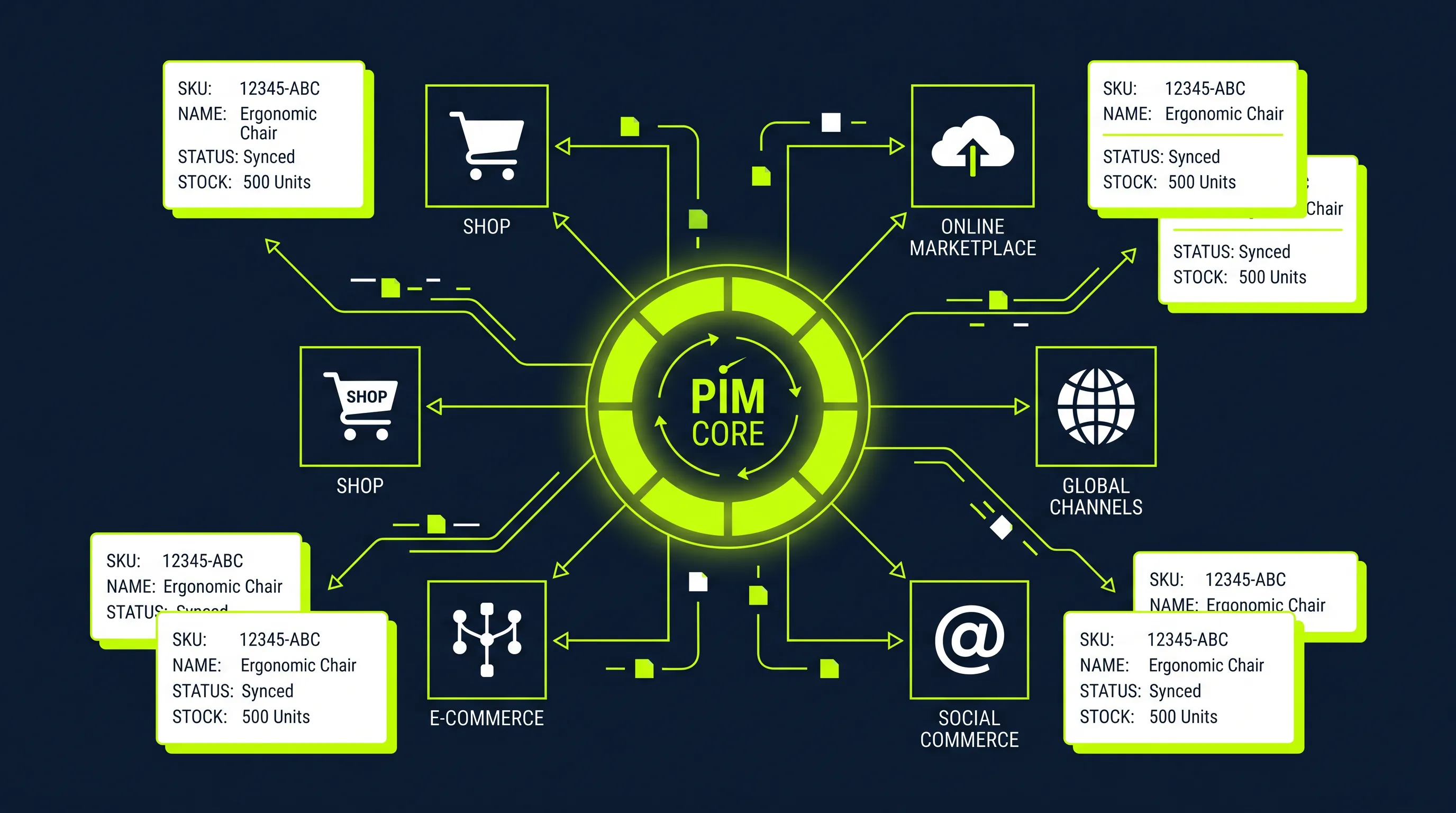
Plytix is a PIM, not an ERP. It manages product information, not inventory or order processing. Anyone who thinks Plytix replaces their Shopify ERP or inventory system misunderstands the system architecture.
The right sequence: if your biggest problem is oversells, unreliable stock counts, or manual order processing, solve that first with an ERP. If your biggest problem is inconsistent product descriptions, manual data maintenance effort across multiple channels, and rising return rates from poor product data quality, the PIM comes first.
Plytix sits architecturally between ERP and Shopify, managing product presentation, not product logistics. A complete setup has all three systems with clear responsibilities. This has a direct impact on product page conversion rates and long-term on your e-commerce KPIs.
Frequently Asked Questions About Plytix PIM for Shopify
What does Plytix PIM cost in 2026?
The Free Plan is free for up to 1,000 SKUs. The Pro Plan costs $499 per month (annual billing around $460). Additionally, Product Feeds cost $300 per month, Brand Portals $300 per month, and Product PDFs $200 per month. Anyone needing all three add-ons pays $1,099 per month plus any onboarding costs. Most review sites show outdated or incorrect pricing.
Does Plytix sync bidirectionally with Shopify?
No. Plytix only synchronizes from Plytix to Shopify, not back. Changes made directly in Shopify do not reach Plytix. This means Plytix must consistently be the single source of truth for product data. Anyone continuing to edit directly in Shopify will have data conflicts.
What are the biggest Plytix PIM drawbacks?
The five most commonly cited criticisms from 93 analyzed reviews: no granular user permissions (any user can delete products), no mandatory field enforcement before Shopify publication, limited workflow automation for complex approval processes, unclear error messages when sync fails, and no GDPR data residency clarity.
What does the Plytix Free Plan actually include?
The Free Plan includes up to 1,000 SKUs, unlimited users, full core PIM and DAM functionality, Shopify integration, and community support, with no time limit. Not included: Product Feeds for marketplaces, Brand Portals, full API access, and a dedicated CSM. It is a genuine functional test, not a time-limited trial.
How long does Plytix setup take for Shopify?
App installation takes under 5 minutes. That is correct. Getting to full production readiness takes 4 to 7 weeks with specialized implementation partners, or 2 to 3 months with Plytix’s own Managed Onboarding Program. What determines the timeline: data quality, attribute schema complexity, and whether you have internal capacity to run the project alongside daily operations.
What are the best Plytix alternatives?
The most relevant alternatives for Shopify merchants: Hublify (cheaper, EU data residency, Shopify-first, German support available), Akeneo Community Edition (free and more flexible, but requires development resources), Sales Layer (similar price segment to Plytix, good Shopify integration). Which alternative fits depends on budget, complexity, compliance requirements, and internal resources.
Is Plytix GDPR-compliant?
Plytix does not have a transparent statement on European data residency on its website. Anyone who needs to contractually guarantee GDPR compliance with EU data storage should clarify this question directly in the sales conversation and get a written confirmation. Alternatives with a clear EU hosting option include Hublify and Akeneo with EU server location.
Can I try Plytix for free?
Yes. The Standard Plan (Free) is available indefinitely for catalogs up to 1,000 SKUs, without a credit card. This is genuinely unusual in the PIM market: most enterprise PIMs require a demo call before access. Plytix’s free tier allows real evaluation with your own data before any purchasing decision.
Bottom Line: When Plytix Makes Sense for Your Shopify Store
Plytix is a good product for what it was built to do: SMB and D2C teams on Shopify with 500 to 10,000 SKUs who want to be productive quickly without enterprise implementation overhead.
Where Plytix delivers its full value: e-commerce teams without an IT department, looking for an intuitively usable PIM-DAM combination with solid Shopify integration and good onboarding support.
Where Plytix shows its limits: governance requirements, bidirectional Shopify sync, GDPR data residency guarantees, and very complex workflow automation.
What most evaluators get wrong: total cost. $499 sounds manageable. $499 plus Product Feeds plus Brand Portals is a different budget that needs to be planned realistically. This article exists so you go into a Plytix sales conversation with the right questions, not discover the full costs afterward.
If you are not sure whether Plytix fits your specific situation, or if you want to scale your Shopify store and the right product data infrastructure is missing: book 30 minutes. I will walk through it with you directly.