Most guides to Shopify multiple stores answer the wrong question. They explain how to technically spin up a second store, instead of asking whether a second store is even the right answer to your actual problem. Move to multiple storefronts too early, and you double app costs, maintenance overhead and reporting complexity, without a single extra customer buying anything because of it.
One thing upfront: I’m a Shopify partner. digitalsprung specializes in Shopify and Shopify Plus, that’s no secret, and I mention it because any assessment is easier to weigh once you know where it’s coming from. What that means for this guide: I see multi-store decisions from real projects, not from a sales conversation where an extra store automatically means an extra project. That’s exactly why my answer here isn’t automatically “you need multiple stores.” By the end of this article, you’ll know which of the four paths to a Shopify multi-store setup fits your business, what it genuinely costs, and which DACH-specific pitfalls most English-language guides simply skip over.
Shopify multiple stores, in one sentence
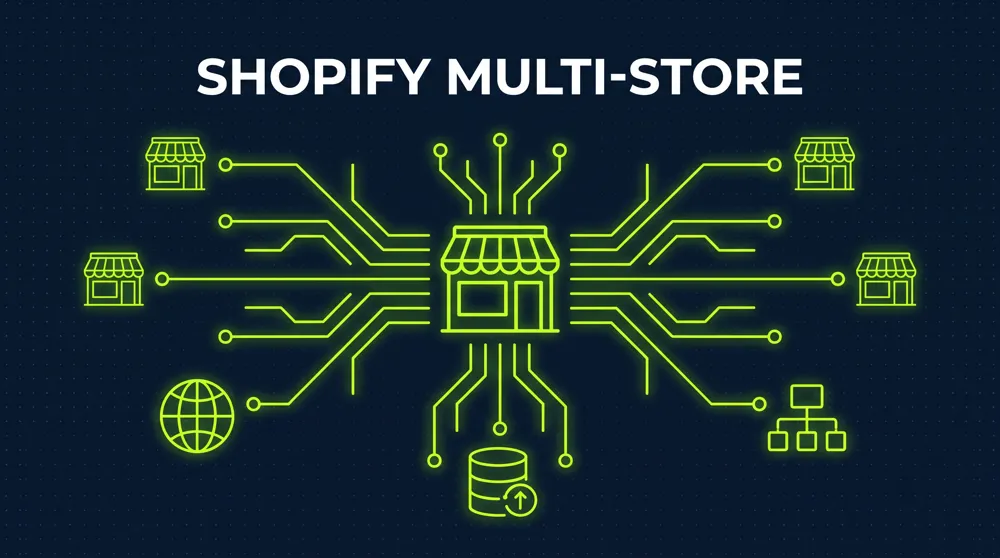
Shopify multiple stores describes any setup where a company runs more than one Shopify storefront at the same time, whether for different countries, brands, sales channels, or customer segments. The term is imprecise in practice, because it lumps together at least four technically distinct architectures that differ enormously in cost, data structure, and management overhead.
That exact confusion regularly costs companies real money. Search “Shopify multiple stores” because you want to expand internationally, and you’ll often land on tutorials for separate stores, when Shopify Markets would be the simpler, cheaper solution for your actual problem. Run two genuinely independent brands with separate legal entities, on the other hand, and a single store with Markets configuration will fail you, no matter how many tutorials promise otherwise.
The four paths to multiple Shopify storefronts
| Criterion | Shopify Markets | Multiple independent stores | Expansion stores (Plus) | Headless multi-storefront |
|---|---|---|---|---|
| Number of Shopify admins | One | One per store | One, multiple storefronts underneath | One, multiple frontends via Storefront API |
| Product catalog | Shared, adjustable per market | Fully separate | Can be shared or separate | Shared, rendered differently |
| Legal separation possible | No, one legal entity | Yes, per store | Limited, one Plus contract | No, one backend |
| Domain and SEO strategy | Subdomain/subfolder per market | Own domain per store | Own domain per store possible | One or more domains per frontend |
| Platform cost | Included in existing plan | Full plan price per store | Included in Plus contract up to 10 stores | Plus license plus frontend development |
| Typical use case | Internationalization, multiple countries/languages | Brand separation, separate legal entities | B2B channel, international subsidiaries, employee store | Distinct brand experiences on one shared data layer |
This table is the starting point for any serious multi-store decision. Name your actual goal in the left column, and the right architecture nearly picks itself from the remaining columns.
When a single store with Markets is enough
Shopify Markets bundles country and language logic directly into one storefront: separate domains or subfolders per market, local currencies, adjusted pricing, and automated duty and tax logic where needed. The catalog stays central, inventory and customer data live in a single database.
A single store with Markets is the right call when the following apply to your business:
- You sell under one brand across multiple countries, without separate legal entities per market
- Your product catalog is identical or only slightly adjusted across most markets
- You want inventory, customer data, and reporting kept in one central dashboard
- Your team works centrally, without regional teams needing independent storefront control
For this profile, one store with Markets isn’t just cheaper, it’s the smarter strategic call: every additional storefront is one more failure point, one more app contract, and one more instance that needs separate testing with every feature update.
When you genuinely need multiple stores
Moving to multiple independent stores or expansion stores pays off once at least one of the following reasons genuinely applies, not just “sounds plausible”:
- Separate legal entities per market or brand. If your Swiss GmbH and your German GmbH must be run as separate tax and accounting entities, one store with one payment setup can’t cleanly represent that split.
- Fully distinct brand identities. Two brands with their own tone, theme, and customer experience are hard to keep cleanly separated inside a single store without heavy custom work.
- Non-overlapping product ranges with independent logistics. If brand A ships from a German warehouse and brand B from a US fulfillment center, with different shipping rules, a shared store becomes a technical workaround.
- A B2B channel with a fully independent operation. If your B2B business has its own approval workflows, its own sales team, and a completely different customer journey, a separate B2B store is often clearer than a B2C store with a bolted-on B2B layer. For more on running B2B natively inside one store, see Shopify B2B: What Actually Works in 2026.
- Employee or partner stores with their own terms. A separate store with its own price lists for staff or trade partners, independent of the public catalog.
The readiness check: does your business fit a multi-store setup
Before investing in a multi-store architecture, a structured self-assessment beats a gut call.
Answer yes to seven or more of the nine points, and a multi-store setup is very likely the right architecture for your business. At four to six, take a closer look, often a single point, like a differing terms document, can also be solved inside one store with Markets. At three or fewer, a single store with Markets configuration will likely save you significant ongoing overhead.
What Shopify multiple stores actually costs
Cost claims around multi-store setups are either vague or reduced to a single license fee in most vendor content. Fixed and officially communicated by Shopify are the following:
| Cost block | Order of magnitude | Note |
|---|---|---|
| Shopify Basic / Grow / Advanced per independent store | from around $39 / month per store | Full plan price per store, no discount for additional stores within the same company |
| Shopify Plus organization | from around $2,300 / month | One contract covers up to 10 storefronts: main store plus 9 expansion stores, per Shopify, at no extra charge |
| Additional stores beyond the included 10 | By arrangement with Shopify | Shopify directs merchants to contact support directly, no public list price |
| Shopify Markets | Included in the existing plan | No extra license fee for the core functionality, see the Shopify pricing page for fees on advanced features |
What this table doesn’t show, and can’t credibly show, is setup, theme customization per storefront, cross-store data consolidation, and ongoing maintenance. That depends so heavily on the specific case that a flat number would be misleading. The actual effort is mostly driven by a handful of factors:
- The number of additional storefronts, every extra store adds its own app licenses, its own theme testing, and its own failure points
- The degree of customization per storefront, a standard theme with adjusted colors is a different project than a fully custom frontend per brand
- The complexity of data consolidation, how many systems (ERP, BI, CRM) need to stay in sync across every storefront
- The scope of catalog and customer data migration, when an existing store gets split into multiple storefronts
The DACH legal framework: what English-language guides miss
Most Shopify multi-store guides come out of the US or UK market and skip regulatory requirements that are mandatory in German-speaking markets once you run multiple storefronts.
Legal notice requirements apply per domain, not per company
Under German and Austrian law, every independent website needs a complete legal notice (Impressum), regardless of whether multiple storefronts belong to the same company. Run several independent stores or expansion stores on separate domains, and each individual domain needs its own correct, up-to-date legal notice, not just the main site.
VAT ID, the OSS scheme, and separate legal entities
If your storefronts belong to different legal entities, say a German and a Swiss company, each store needs its own correct VAT treatment. For storefronts under the same EU legal entity selling into multiple EU countries, the One-Stop-Shop (OSS) scheme usually applies, bundling VAT reporting centrally. Inside Shopify Markets within a single store, this mapping is noticeably easier to maintain than across several separate store instances.
GDPR: separate storefronts mean separate records of processing
Every independent Shopify instance with its own customer database needs its own record of processing activities under Article 30 GDPR. If customer data moves between multiple storefronts, say for a shared loyalty program, that exchange needs its own legal basis and must be correctly described in the privacy policy of every storefront involved.
E-invoicing requirements apply across storefronts
With Germany’s phased rollout of mandatory e-invoicing for B2B transactions, every storefront that issues B2B invoices needs to support structured formats like ZUGFeRD or XRechnung. Across multiple stores, that means multiple invoicing systems, or a central middleware that connects them all cleanly.
Data consolidation across multiple stores: the underestimated effort
Every additional Shopify instance is its own silo for orders, inventory, and customer data. Shopify itself doesn’t offer a native, cross-storefront reporting view once you run more than one store. If you want to know how revenue, return rate, or customer lifetime value develop across all storefronts combined, you need an extra layer:
- A central ERP or inventory management system, consolidating stock and orders across every storefront
- A BI solution or data warehouse, pulling metrics together from multiple Shopify instances, since Shopify Analytics natively reports per store only
- A clear system architecture, defining which storefront is the source of truth for product data, so it isn’t maintained in parallel and inconsistently across stores
For a detailed look at the technical requirements for centralized inventory management and ERP integration, including the most common integration paths, see Shopify ERP Integration 2026.
Migration: from a single store to multiple storefronts
Moving from an existing store to a multi-store setup is a bigger project than most app vendors’ marketing suggests. The key steps for a clean rollout:
- Decide the architecture first, then build. Use the table above to decide whether Markets, multiple independent stores, expansion stores, or headless multi-storefront fits your actual reason, before a single line of code gets written.
- Split catalog and customer data cleanly. When an existing store gets divided into multiple storefronts, products, variants, and existing customers need to be clearly assigned to a target storefront, duplicate or conflicting assignments cause chaos later.
- Settle domain and SEO strategy before go-live. Every new storefront domain needs a deliberate 301 redirect and hreflang strategy, otherwise you lose the original domain’s existing rankings instead of transferring them to the new storefronts.
- Plan for a parallel run. An abrupt full cutover without a transition period significantly raises the risk of order failures and lost rankings.
- Set up the consolidation layer before rollout, not after. An ERP or BI layer connected as an afterthought means weeks without reliable overall reporting.
The most common multi-store mistakes
The same five mistakes tend to make multi-store projects more expensive or slower than planned:
- Storefronts get split before demand is proven. A second store for a market you haven’t actually tested yet is expensive stockpiling, not a strategic move.
- SEO cannibalization between your own storefronts. When multiple stores serve similar content for similar keywords, you compete with yourself for rankings instead of adding visibility.
- Data consolidation gets planned as an afterthought instead of from day one. That leads to duplicate integration rounds and manual spreadsheet reconciliation in reporting.
- Per-store app costs get underestimated. Every additional storefront needs its own app licenses, doubling your stores typically doubles your ongoing app costs too.
- Legal separation doesn’t get followed through technically. Separate legal entities need separate payment processing, separate records of processing, and separate legal notices, not just separate visual branding.
AI and agentic commerce in a multi-store context in 2026
Hardly any vendor gets through 2026 without the phrase “AI-powered” attached to multi-store setups too. What actually works in practice differs quite a bit from the marketing promise.
What genuinely works today:
- AI-driven inventory forecasting per storefront, suggesting automated reorders per market or brand based on historical sales data
- Automated content localization for product descriptions and marketing copy across multiple storefronts, followed by human review
- AI-driven anomaly detection in reporting, automatically flagging unusual deviations between storefronts, such as a sudden revenue drop in a single market
What doesn’t reliably work yet: fully automated “agentic commerce” systems that independently reallocate inventory across multiple storefronts or autonomously optimize pricing across stores without human sign-off. These scenarios sound like the near future at conferences, but in the practice of multi-store operations with legal separation and different margin targets, they’re still the exception in 2026, not the rule. For a realistic take on AI features in commerce, separated from pure marketing, see AI in E-Commerce 2026.
Who multi-store pays off for, and when to stay on one store
Multiple Shopify storefronts pay off when separate legal entities, fully distinct brand identities, or independent fulfillment structures genuinely exist, not just seem theoretically plausible. For that profile, multiple storefronts or expansion stores are the clearer and, over time, lower-maintenance solution, even if they mean more upfront effort.
For pure language and country coverage without separate legal entities, a single store with Shopify Markets remains the more economical choice in most cases. If you need distinct brand experiences on a shared data layer without fully separating the storefronts, headless architectures, where one backend serves multiple frontends, are worth a look too. The technical fundamentals are covered in Headless Commerce Explained.
If your multi-store thinking is really a platform question, say because Shopify hits limits for one of your storefronts, see E-Commerce Platform Comparison. And if your different storefronts are really meant to serve different customer groups with their own pricing, that’s often solvable without separate stores at all, via Shopify: Showing Different Prices to Different Customers. Running parallel B2B and D2C channels, meanwhile, raises its own strategic questions around channel separation, covered in D2C Strategy.
Frequently asked questions about Shopify multiple stores
What's the difference between Shopify multiple stores and Shopify Markets?
Shopify Markets runs inside a single storefront and bundles country and language logic centrally, with one shared catalog and one shared database. Shopify multiple stores refers to setups with several independent Shopify instances, each with its own admin, catalog, and data.
How many stores can I run on Shopify?
A Shopify Plus organization covers up to 10 storefronts: one main store plus 9 expansion stores, at no additional license fee within the existing contract, per Shopify. For more than 10 stores, Shopify directs merchants to contact support, no public list price exists.
What does an expansion store cost on Shopify Plus?
Within the included 10 storefronts (main store plus 9 expansion stores), Shopify states there’s no additional license surcharge, they’re part of the existing Plus contract. Setup, theme customization, and app licenses per additional store come as a separate, project-dependent cost.
Do I need Shopify Plus to run multiple stores?
No, multiple independent stores can run on lower Shopify plans too, though each store then pays the full plan price individually. Expansion stores with bundled management under one contract are reserved for Shopify Plus, however.
Can I share inventory across multiple Shopify stores?
Not natively, across fully separate store instances. Inventory can only stay in sync through an extra layer, such as a central ERP system or middleware connecting every storefront. Within Shopify Markets in a single storefront, inventory is automatically centralized.
Do multiple Shopify stores cause SEO problems?
They can, if multiple storefronts serve similar content for the same keywords, your own stores end up competing for rankings instead of adding visibility. A clear domain, hreflang, and content strategy per storefront avoids this, but it happens often when SEO architecture isn’t planned before rollout.
Does every Shopify store need its own legal notice?
Yes, under German and Austrian law. Every independent website needs a complete, up-to-date legal notice, regardless of whether multiple storefronts belong to the same company. That applies separately to every independent domain.
What is a headless multi-storefront architecture?
A single backend, typically via the Shopify Storefront API, serves multiple differently designed frontends. The product catalog and core data stay centralized, while each storefront can be visually and functionally customized without running separate store instances.
How long does a migration to a Shopify multi-store setup take?
Depending on architecture and data volume, 8 to 16 weeks is realistic once catalog and customer data splitting, domain migration with clean redirects, and a data consolidation layer are included. Pure Markets configurations inside an existing store are usually much faster to implement.
Which is better: Shopify Markets or multiple separate stores?
Shopify Markets fits international expansion without separate legal entities and with a largely unified catalog. Multiple separate stores or expansion stores pay off when separate legal entities, fully distinct brand identities, or independent logistics genuinely exist. The readiness check in this article helps make that call concretely.
Bottom line: multi-store is an architecture question, not a growth question
Shopify multiple stores isn’t a single product in 2026, it’s an umbrella term for four distinct architectures with very different cost and maintenance profiles. For international expansion without separate legal entities, Shopify Markets in a single store is almost always the smarter choice. For separate brands, legal entities, or logistics structures, multiple stores or expansion stores are the right answer, but only when that reason genuinely and fully applies.
As a Shopify partner, I generally earn more from an additional store setup than from recommending you stay on a single storefront. I say as clearly as possible when one store is enough anyway, because an unnecessary multi-store migration ends up costing you more than any project I might lose because of it.
What I take from real projects: the architecture question is always the second question. The first question is which concrete reason, legal, brand-related, logistical, or audience-driven, actually sits behind the wish for multiple storefronts. Know that answer, and the multi-store decision takes a fraction of the time, without an expensive misinvestment.
If you want to build your Shopify multi-store decision on a solid requirements analysis instead of a sales pitch, I’m happy to talk it through with you. No pitch, no architecture recommendation upfront. Book a call directly here.